
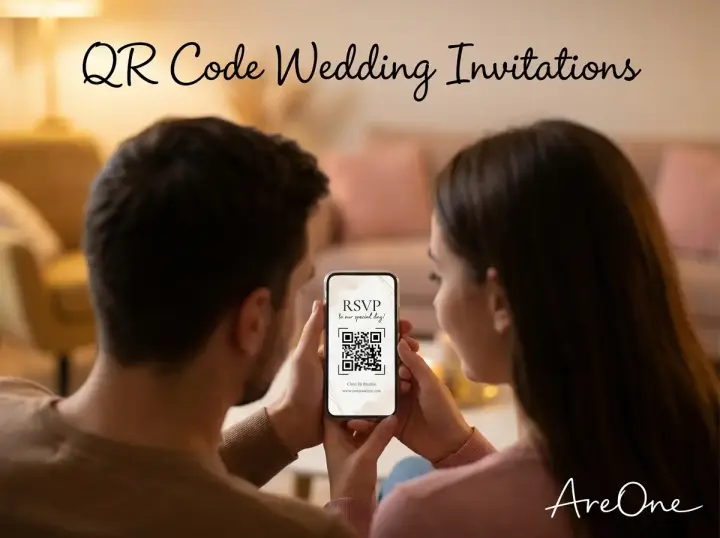
TL;DR: A well-executed digital approach saves time and money, but mastering the design, link previews, and exact dimensions is critical to ensure every guest can successfully RSVP.
The Modern Standard for Events
Planning a modern event means rethinking old traditions, and nothing represents this shift better than a QR code wedding invitation. Not too long ago, couples spent countless hours stuffing envelopes, licking stamps, and anxiously waiting by the mailbox. Now, technology offers a simpler, instantly gratifying alternative. You get your answers faster. Your guests do not have to hunt for a pen or find a post office. It is a seamless experience that caters to our fast-paced lives.
We know that adopting new technology for a milestone event can feel slightly intimidating. You might worry about your older relatives navigating a smartphone camera. You might wonder how to make a digital link look as elegant as gold-foil lettering. The good news is that you can achieve both functionality and breathtaking aesthetics. This comprehensive resource will walk you through every nuance of going digital with your big day.
By following these best practices, you ensure a flawless process. From getting the metadata just right for text messages to figuring out the perfect dimensions for printed cards, we have everything mapped out for you to create a frictionless guest experience.
When QR Codes Help (And When They Might Need a Backup)
Let us look at exactly why so many couples are making this switch. The most obvious benefit is speed. When a guest opens their mail or clicks a text, they are immediately prompted to act. There is zero friction between receiving the details and confirming their attendance. This dramatically reduces the number of people you have to chase down two weeks before your caterer needs a final headcount.
Another massive advantage is financial. Physical RSVP cards require their own printed inserts, their own smaller envelopes, and additional return postage. When you multiply that by a hundred guests, the costs stack up fast. Digital alternatives let you bypass this completely. If you want to see how affordable this can be, check out our pricing to compare options.
However, we must address the reality of your guest list. Not everyone is a tech-savvy millennial or Gen Z builder. You likely have grandparents, great-aunts, or family friends who still prefer a landline phone. Relying purely on scanning technology can isolate these important loved ones. They might not know how to focus their mobile camera, or they simply might not own a smartphone. For these specific individuals, having a traditional backup or a direct phone number to call is not just polite; it is essential for a simpler experience.
What Should Your Code Actually Link To?
Once you decide to use this technology, the next big question is deciding its destination. You have three primary paths, and the right choice depends on how you structure your overall communication strategy. You could direct guests to a dedicated qr code rsvp page, a comprehensive digital hub, or a simple save-the-date gateway.
If you are sending a well-designed physical card with all the venue and timing details already printed on it, you do not need to repeat that information digitally. In this scenario, pointing the scanner directly to a dedicated qr code rsvp form is the smartest move. It removes extra clicks. The guest points their camera, the form opens, they select chicken or fish, and they hit submit. Fast, elegant, and efficient.
On the other hand, if your physical mailer is minimalist—perhaps just a photo of you two with a date and a scanning graphic—the destination needs to be robust. It must act as your central digital hub. This hub will host your venue maps, dress code instructions, hotel block links, and registry details. The benefit of a digital hub is that it remains a living document. If a shuttle time changes at the last minute, you can update the page instantly without panicking about misinformed guests.
Choosing the right destination also matters if you have guests flying in from overseas. In these cases, linking to a page that supports different languages is welcoming. You can easily set this up using our multilingual options, ensuring everyone feels included the moment they open the link.
QR Code Wedding Invitation Size and Placement Rules
Design is where many couples accidentally stumble. The graphic cannot just be slapped onto a corner as an afterthought. It needs to look intentional. More importantly, it must be legible. If you print it too small, the camera lens will not be able to distinguish the individual pixels. If you print it too large, it dominates your beautiful design and looks aggressively corporate.
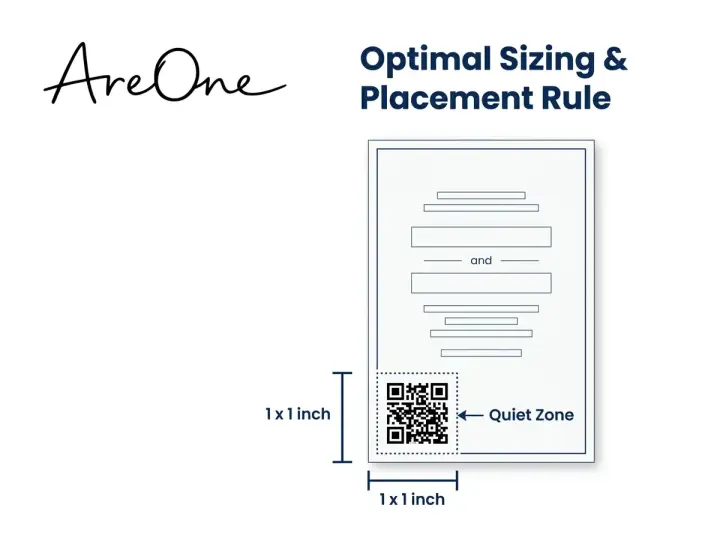
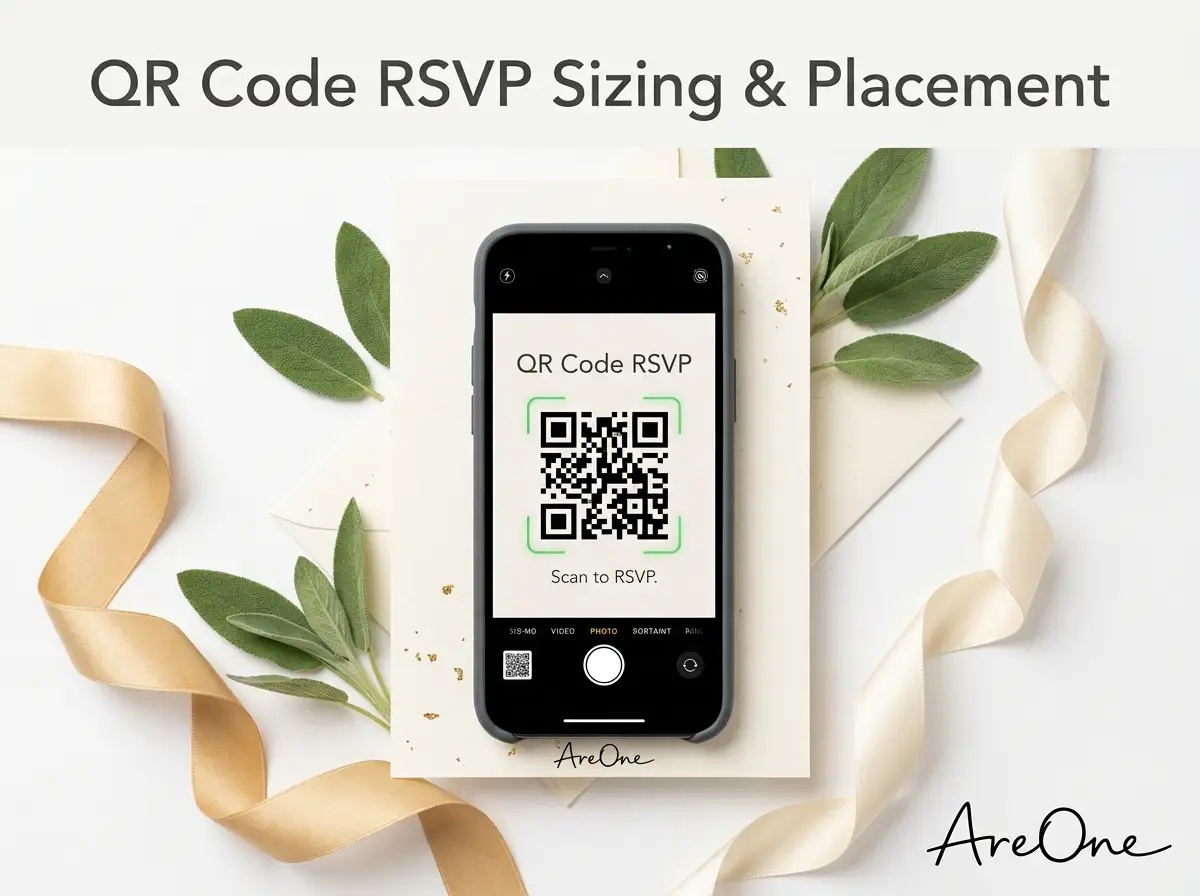
So, what is the ideal wedding invite qr code size? The golden rule for standard physical prints is a minimum of 1 inch by 1 inch (approximately 3 centimeters by 3 centimeters). Anything smaller than this risks becoming unscannable, especially if the lighting in your guest's living room is dim. For larger displays, like a welcome sign at the entrance of a pre-wedding event, the graphic needs to scale up proportionately to the distance from which people will scan it.
Placement is equally crucial. Never place the graphic on a crease or a fold. The surface must be completely flat for the lens to read the matrix. you must respect the quiet zone. The quiet zone is the blank, contrasting margin surrounding the pixels. If your floral design or typography bleeds into this margin, the scanner gets confused and fails to register the link.
| Medium | Minimum Size | Typical Scanning Distance |
|---|---|---|
| Standard Card (5x7) | 1 inch x 1 inch (3cm x 3cm) | 6 to 12 inches |
| Table Menu / Program | 1.5 inches x 1.5 inches | 1 to 2 feet |
| A-Frame Welcome Sign | 5 inches x 5 inches | 3 to 4 feet |
| Large Poster Banner | 8 inches x 8 inches | 6+ feet |
Always maintain a high contrast. A stark black matrix on a pure white background remains the most reliable option. While it might be tempting to use a light pastel color to match your theme, a lack of contrast is the number one reason cameras fail to recognize the matrix.
Nailing the Open Graph Wedding Invitation Setup
We are stepping slightly into tech territory here, but this is a massive game-changer if you plan to text your links. When you paste a URL into iMessage, WhatsApp, or Facebook Messenger, a little box pops up showing a title, a description, and a thumbnail image. This preview is generated by specific hidden coding tags on your website. Setting up an open graph wedding invitation ensures that this preview looks breathtaking rather than looking like a broken computer error.
If you ignore these tags, the messaging app will just scrape whatever random text and image it finds first. Your elegant text message might end up displaying your catering menu out of context instead of a romantic photo of you two. An optimized open graph wedding invitation commands attention and sets a joyful tone immediately before they even click.
To master this, you need three specific tags: the OG Title, the OG Description, and the OG Image. Your title should be clear and celebratory, like Sarah and David are Tying the Knot! The description should offer a polite call to action, such as Tap here for our details and to secure your seat. The image is the crown jewel. It should be a high-quality engagement photo cropped specifically to 1200 by 630 pixels to prevent awkward cropping.
If you are building this from scratch, refer to the official WhatsApp link preview documentation to see how these tags function globally. Fortunately, if you use a premium service, this technical headache is handled automatically in the background. You just upload your favorite photo and type your title.
Recommended ReadingQR Code RSVP: The Ultimate Guide to Sizing, Links, and Placement →Four Common Mistakes Couples Make (And How to Fix Them)
Even with the best intentions, things can go awry. We see couples make the same easily preventable errors season after season. Let us walk through the most common pitfalls so your experience remains completely simpler.
Browse invitation layouts that fit your plan.
Compare layouts for schedules, travel details, guest guidance, and RSVP information before choosing one for your invitation.



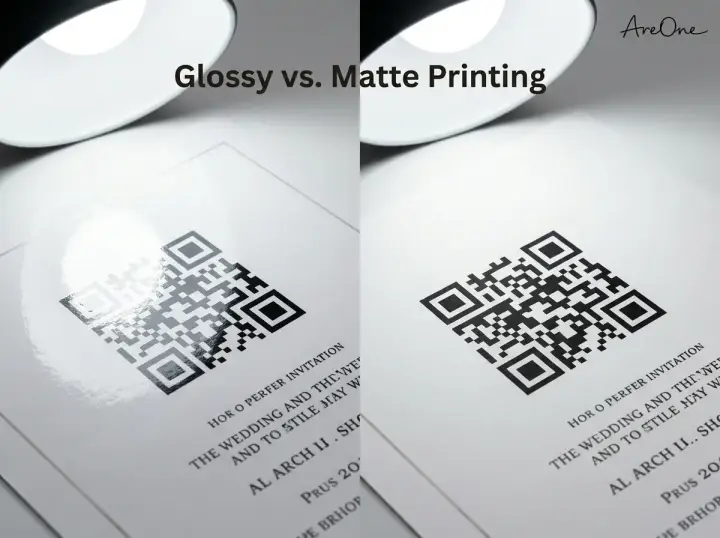
Mistake 1: Printing on High-Gloss Paper. Glossy finishes look premium, but they are a nightmare for smartphone lenses. The glare from a living room lamp will reflect right off the shiny paper, obscuring the digital matrix. Always opt for a matte or soft-touch finish where the graphic is printed. This guarantees zero reflection and a fast read.
Mistake 2: Changing the URL After Printing. This is an absolute catastrophe. If you generate your graphic using a free online tool that points to a specific web address, and then you later change your site structure, the printed graphic is instantly dead. Always use a dynamic link or guarantee your URL structure is locked down forever before sending anything to the print shop.
Mistake 3: Zero Call to Action. You cannot just drop a mysterious pixelated square on a piece of paper and assume people know what to do. You must give them explicit instructions. A simple phrase like Scan using your phone camera to RSVP by May 1st provides necessary context. Never leave your guests guessing.
Mistake 4: Overcomplicating the Design. Trying to embed a detailed photo into the center of the matrix often degrades its readability. Keep the core functional area clean. You want your guests to marvel at your love story, not fight with their technology trying to get the lens to focus.
Do You Put Wedding Website On Invitation?
We hear this specific question constantly: do you put wedding website on invitation alongside the scannable graphic? The answer is a resounding, unambiguous yes. Relying exclusively on a camera scan is a risky strategy. Providing the typed-out URL acts as your ultimate fail-safe.
The Quick Answer and Logic
While the vast majority of your friends will happily point their phone at the paper, some prefer using a desktop computer. They might want a larger screen to view your registry or read your relationship story. If you only provide a scannable graphic, you are forcing them to use their mobile device. By typing out the short URL underneath, you give them the freedom to access your hub however they choose.
technology fails. Sometimes a printer slightly smudges the ink, rendering the matrix unreadable. Sometimes a guest has a phone with a software glitch. When you wonder, do you put wedding website on invitation, remember that the text URL guarantees that even in a worst-case scenario, every single person can still reach your digital hub. It is the ultimate backup plan.
Need a faster RSVP flow?
Use AreOne to collect guest replies, meal choices, and reminders in one clean workflow.
Copy-Paste Wording Examples
Finding the right tone is crucial. You want the phrasing to match the formality of your event while remaining explicitly clear. Here are several options you can directly copy and paste into your drafts.
Example 1: The Modern Formal Approach
The favor of your reply is requested by the fourteenth of October. Please scan the code below using your smartphone camera, or kindly visit our digital hub at [YourShortURL.com] to submit your response.
This balances traditional etiquette with modern functionality perfectly. It feels respectful yet efficient. The formal wording pairs beautifully with elegant typography.
Example 2: The Casual and Fun Vibe
We cannot wait to celebrate with you! Point your camera at the square below to lock in your spot, or type [YourShortURL.com] into your browser. Please let us know if you are ready to party by June 10th.
This is fantastic for relaxed events, destination parties, or younger crowds. It sets an energetic tone and immediately makes the guest excited for the celebration.
Example 3: The Tech-Forward Minimalist
RSVP digitally by August 5th. Scan below or visit [YourShortURL.com].
If you are tight on space and using a minimalist aesthetic, keep it brief. The instructions are undeniable, and it saves precious real estate on the card for your design elements.
For more deep dives into crafting the perfect message, we recommend reading our extensive guide to QR code RSVPs, which covers even more specific etiquette scenarios.
The Ultimate Testing Checklist for Your Digital Setup
Before you commit to purchasing hundreds of printed copies or mass-emailing your entire guest list, you must rigorously test the entire workflow. A small error caught early is an easy fix; an error caught after distribution is a nightmare. Use this comprehensive checklist to guarantee absolute perfection.
- Test Across Multiple Operating Systems: Have one friend with an iPhone and another friend with an Android scan the graphic. Ensure the native camera app triggers the link correctly for both ecosystems.
- Test the Lighting Conditions: Print a sample on your home printer. Try scanning it in a brightly lit kitchen and a dimly lit living room. Ensure the contrast holds up under various shadows.
- Verify the Open Graph Meta Data: Text the URL to yourself on iMessage, WhatsApp, and Facebook Messenger. Confirm the image is not cropped awkwardly and that the title reads perfectly.
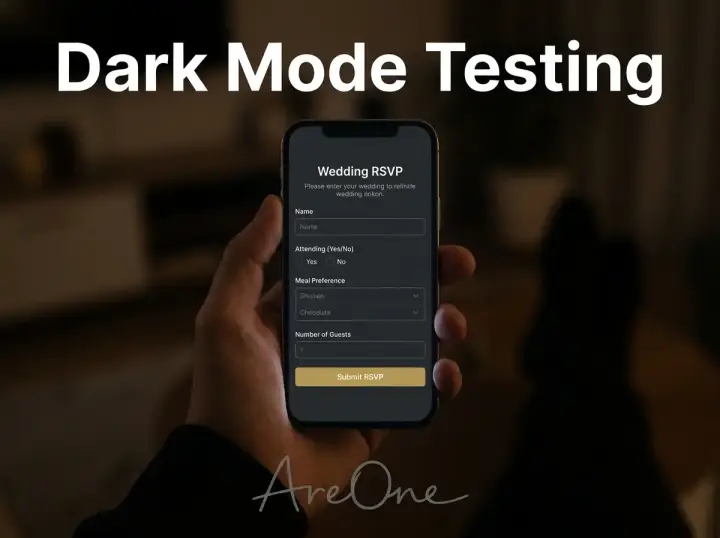
- Perform a Dark Mode Check: Many users leave their phones in dark mode at all times. Open your digital hub on a phone set to dark mode. Ensure your text remains visible and your forms do not turn into invisible black-on-black boxes.
- Test the Form Submission: Actually fill out the RSVP as a fake guest. Choose a meal, answer any custom questions, and hit submit. Log into your dashboard to confirm the data was accurately recorded.
- Accessibility Review: Check your final destination hub against standard mobile web practices. You can refer to Google Search Central for excellent guidelines on mobile-first readability. Ensure buttons are large enough for older fingers to easily tap.
Making Your Guests Feel Truly Special
You are telling them that you value their time. You are showing them that you want their experience to be as smooth and delightful as the celebration itself. A well-designed digital strategy feels like white-glove service. It anticipates their needs and provides immediate solutions so they never feel frustrated or confused.
If you are ready to bring this vision to life but feel overwhelmed by coding and formatting, we have built the perfect environment for you. Our platform handles all the complicated metadata, contrast ratios, and responsive designs automatically. You just bring your photos and your joy. You can explore our modern digital templates right now to find a style that matches your unique aesthetic perfectly.
Scanning the Horizon for Your Perfect Day
Mastering this technology does not require an advanced degree; it just requires a bit of thoughtful planning. From getting the perfect preview image in a text thread to ensuring your grandparents can comfortably navigate the form, every detail matters. By avoiding common glossy paper mistakes and providing clear text alternatives, you guarantee a flawless experience. When you finally send out your ultimate QR code wedding invitation, you will be setting the tone for an unforgettable, simpler celebration.
Frequently Asked Questions
Find quick answers to common questions about this article.

No approved comments yet.