
TL;DR: Protect your special day by prioritizing wedding website privacy, using strong passwords, and knowing exactly which personal details to share or hide from the public internet.
The Growing Importance of Wedding Website Privacy
Planning your big day is one of the most magical experiences of your life. Between tasting cakes, choosing floral arrangements, and finding the perfect attire, you are likely also building a digital hub for your guests. Digital invitations and event pages are convenient. They allow you to share your love story, collect RSVPs instantly, and communicate last-minute changes with ease. However, treating the open internet like a private guest list is a risky move.
When you put your venue, date, and personal details online, you risk exposing your event to uninvited guests, data scrapers, and potential scammers. This is where wedding website privacy becomes essential. You want your guests to feel welcomed and informed, but you also need to ensure that your private celebration remains exactly that—private. You do not need a degree in cybersecurity to keep your celebration safe. You just need a solid strategy.
We are here to guide you through this process calmly and clearly. By understanding a few basic settings and making smart choices about the information you display, you can enjoy all the benefits of a modern digital invite without any of the anxiety.
The Hidden Risks of Completely Public Invitations
It is natural to want to shout your love from the rooftops. You are excited, and you want everyone to see your beautiful engagement photos. But a public page comes with hidden risks that many couples fail to consider until it is too late. Search engines like Google continuously scan the internet for new pages. If your site is public, anyone searching your names might stumble upon your exact wedding itinerary.
This exposure can lead to several uncomfortable situations. First, there is the risk of uninvited guests or 'party crashers.' If your exact venue, date, and start time are available to anyone with a smartphone, you lose control over who shows up at your reception. Secondly, data harvesting bots constantly scrape public pages for email addresses and phone numbers. If you list the direct contact information for your bridal party or parents, they might suddenly receive a wave of spam or phishing emails.
Finally, there is the emotional risk of hurt feelings. Acquaintances or coworkers who search your name and find a public site might assume they are invited, leading to awkward conversations when they cannot find their name on the RSVP list. Securing your page prevents these uncomfortable moments before they even happen.
Wedding Website Privacy: What to Keep Strictly Private (And Why)
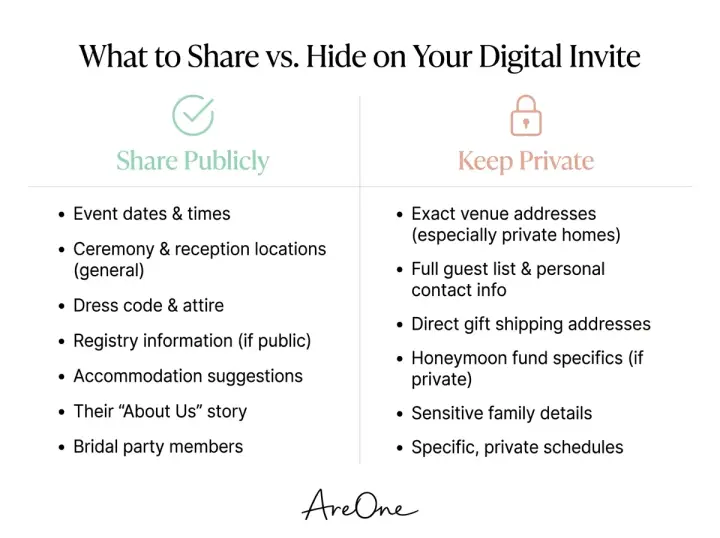
Now that we understand the risks, let us look at the specific details you should always protect. These are the elements of your celebration that require a digital lock and key. Do not leave these items out in the open web for just anyone to find.
Exact Venues, Timelines, and Addresses
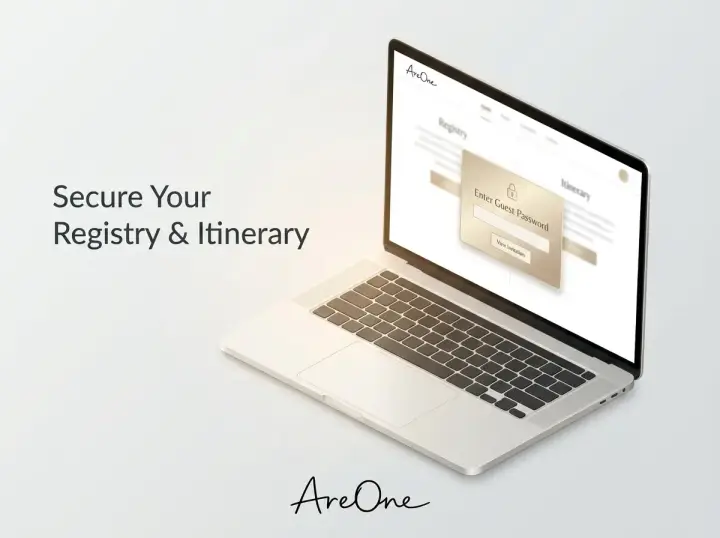
Your wedding venue is a private sanctuary for you and your loved ones on your special day. Broadcasting the exact address, alongside the specific time you will be exchanging vows, is a major security flaw. While your invited guests need this information, the general public does not. We recommend placing your detailed itinerary, shuttle bus schedules, and precise map links strictly behind a password-protected wall.
Home Addresses and Honeymoon Plans
It is common for couples to want to share their excitement about their upcoming honeymoon. You might be tempted to post a detailed itinerary of your two-week trip to Bali. However, publicly announcing the exact dates you will be away from home is an open invitation to burglars. The same rule applies to your physical home address. Even if you are trying to make it easy for guests to mail physical gifts, never list your home address on a public-facing page. If a guest asks where to send a card, provide your address to them privately.
Detailed Registry Information
Your gift registry is a wonderful tool for your guests, but it is also a map of high-value items tied directly to your name. Some registries even display your shipping address by default. When considering your overall security, it is best to hide the direct links to your registries behind your guest portal. This ensures that only the people who are actually attending your wedding—or those you have specifically invited to celebrate with you—can access your gift lists.
What You Can Safely Share Publicly
Securing your page does not mean you have to hide your entire journey. There are plenty of beautiful, engaging details you can safely share on a public landing page. Think of your landing page as the 'cover of the book'—it should be enticing and beautiful, but it should not give away all the plot details.
Your Romantic Love Story
Sharing how you met, your first date, and the story of your engagement is perfectly safe and encouraged. This is the heart of your celebration! Your older relatives, friends from out of town, and even distant acquaintances love reading these heartfelt narratives. As long as you avoid mentioning specific residential neighborhoods or sensitive workplace locations, your love story is a wonderful asset for your public page.
General Cities and Engagement Photos
You want your guests to know roughly where the wedding will take place so they can start thinking about travel. It is completely safe to share the general city or region. For example, stating 'Join us in Austin, Texas next October' gives your guests enough context without compromising your security. your landing page is the perfect place to showcase those stunning engagement photos. Just be sure your photographer has given you the rights to post them online!
The Bridal Party and Family Tributes
Introducing your bridesmaids, groomsmen, and immediate family members is a beautiful way to honor the people standing by your side. You can share short, funny anecdotes about how you know each person. To maintain good security hygiene, simply use their first names and last initials. Avoid posting their personal social media links, email addresses, or phone numbers.
Common Mistakes Couples Make With Digital Invites
Even with the best intentions, it is easy to make a few digital missteps while navigating the hectic wedding planning process. Let us review some of the most frequent errors couples make, so you can easily avoid them.
Recommended ReadingQR Code Wedding Invitations: Best Practices & Examples →Mistake 1: Broadcasting the Link on Public Social Media
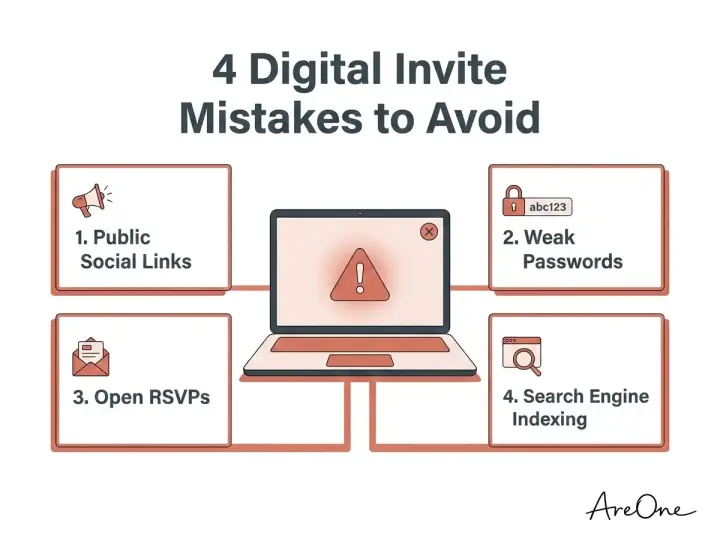
You finally finished designing your beautiful page, and you are so proud of it that you immediately post the link to your Instagram Story or Facebook feed. While the enthusiasm is wonderful, this instantly defeats the purpose of an exclusive guest list. If you want to share your excitement online, take a screenshot of the beautiful homepage instead. Keep the actual URL (the web address) reserved only for your official digital invitations.
Mistake 2: Reusing Common or Weak Passwords
Browse invitation layouts that fit your plan.
Compare layouts for schedules, travel details, guest guidance, and RSVP information before choosing one for your invitation.



When couples decide to secure their site, they often choose a password that is far too easy to guess. Using 'Love2026' or simply the groom's last name provides almost no real security. On the flip side, creating a complex, 16-character password with special symbols will frustrate your older relatives. The goal is to find a middle ground—a memorable phrase that is unique to your event but easy for Grandma to type on her iPad.
Mistake 3: Leaving Open Text Fields on RSVPs
A major feature of modern wedding tools is the digital RSVP. A critical mistake is allowing 'open' RSVPs, where anyone who finds the page can type in any name and claim a meal. To protect your headcount and your budget, ensure your RSVP system is tied directly to a pre-approved guest list. If a name is not on your master list, the system should gently inform them that they cannot RSVP.
Mistake 4: Forgetting About Search Engine Visibility
Many couples build their site, set a password, but completely forget to tell search engines to stay away. If you do not adjust your search settings, Google might still index the title of your page, your names, and your meta descriptions. This means your wedding could still show up in public search results, which we want to avoid for maximum privacy.
Practical Settings: How to Password Protect Wedding Website Pages
One of the absolute best ways to secure your event details is to password protect wedding website pages that contain sensitive info. A password barrier ensures that only your chosen circle can view the venue address, the schedule, and the RSVP form.
When selecting your guest password, avoid your actual wedding date or your names. Instead, consider a short, memorable phrase related to your venue or a shared hobby. For example, if you are getting married at a vineyard, a password like 'RedWineVows' is easy for guests to remember but difficult for strangers to guess. Make sure to communicate this password clearly on your physical save-the-dates or within your initial email outreach.
You should also consider whether you want a single universal password for all guests, or unique PIN codes for each family. A universal password is much easier to manage and perfectly fine for most weddings. However, if you are hosting a exclusive or high-profile event, unique PIN codes provide an ironclad layer of security.
Copy-Paste Wording Examples for Sharing Passwords
Communicating a password to your guests can feel a bit awkward, but it does not have to be. You can keep the tone light, welcoming, and romantic while still enforcing your boundaries. Here are a few lengthy wording examples you can copy and paste directly into your communications.
Example 1: The Formal & Elegant Approach
'We are joyful to share this special milestone with you. To protect the privacy of our celebration and ensure a secure experience for our guests, we have chosen to keep our event details private. Please visit our digital portal at [Your URL] and enter the guest password: [Password]. We look forward to celebrating with you!'
Example 2: The Warm & Casual Approach
'We cannot wait to party with all our favorite people! We have put all the fun details, travel tips, and RSVP forms on our digital hub. To keep out the party crashers and keep our details safe, we have locked the doors. Head over to [Your URL] and use the secret code: [Password] to get inside. See you on the dance floor!'
Example 3: For Printed Save-the-Dates
'For more details, travel accommodations, and to formally RSVP, please visit our digital home: [Your URL]. For the privacy of our guests, please use the secure access code: [Password].'
Need a faster RSVP flow?
Use AreOne to collect guest replies, meal choices, and reminders in one clean workflow.
These templates explain exactly why the password is there, reassuring guests that this extra step is simply to protect the event they are about to enjoy.
Search Engine Visibility: How to Noindex Wedding Website Pages
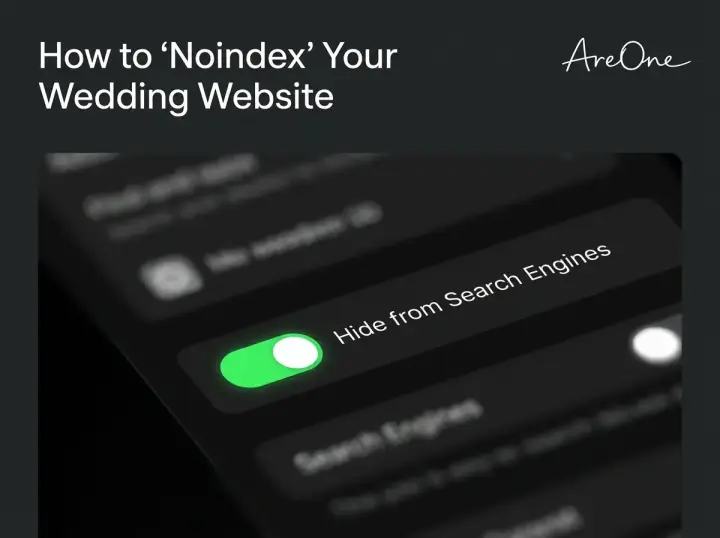
Beyond passwords, there is an invisible layer of security that every couple must implement. You need to learn how to noindex wedding website pages. In simple terms, 'indexing' is the process search engines use to catalog the internet. When Google indexes a page, it saves a copy in its massive public library so that anyone searching for your names can find it.
To prevent this, you must apply a 'noindex' tag to your site. This tag politely tells Google, Bing, and other search engines, 'Please do not save this page or show it in your search results.' According to Google Search Central's official documentation, applying a simple noindex directive is the most effective way to keep your URLs out of public search queries.
Premium digital invitation platforms make this easy. Usually, it is as simple as flipping a toggle switch in your settings dashboard labeled 'Hide from Search Engines.' If you are building a custom site from scratch, you will need to add a meta robots tag to your HTML header. Regardless of how you build it, this step is non-negotiable for true digital privacy.
The Ultimate Scam & Safety Checklist
As you finalize your digital hub, use this comprehensive checklist to guarantee you have covered all your bases. Cybersecurity experts from organizations like Cloudflare emphasize that minimizing your digital footprint is the best defense against data harvesting.
- Enable Password Protection: Ensure your venue, time, and RSVP pages are locked.
- Toggle the Noindex Setting: Confirm your site is hidden from Google and Bing.
- Review Photo Metadata: Be aware that some uploaded photos contain GPS location data. Use a platform that strips metadata.
- Secure the RSVP List: Lock your RSVP form so only pre-approved names can reply.
- Hide Personal Contact Info: Remove direct email addresses and phone numbers for your bridal party. Use a built-in contact form instead.
- Discuss Privacy with Parents: Kindly ask your parents and in-laws not to post the direct URL on their public Facebook pages.
- Set an Expiration Date: Plan to take the site down or heavily restrict it a few months after the wedding concludes.
Quick Reference Table: What to Share vs. Hide
To make things even simpler, we have created a quick reference table. Keep this guide handy as you build out your different pages.
| Information Type | Public Landing Page | Password Protected Area |
|---|---|---|
| Couple's First Names | Yes | Yes |
| Romantic Love Story | Yes | Yes |
| General City / State | Yes | Yes |
| Exact Venue Name & Address | No | Yes |
| Specific Ceremony Time | No | Yes |
| Open RSVP Forms | No | Strictly Locked to Guest List |
| Honeymoon Dates & Locations | No | No (Keep offline entirely) |
| Direct Links to Registries | No (Highly discouraged) | Yes |
Protecting Your Loved Ones and Older Relatives
A common concern couples have is whether adding these privacy measures will confuse their older relatives. Grandparents and older aunts and uncles might not be the most tech-savvy individuals. However, securing your event does not have to alienate them.
To make the process seamless for elderly guests, ensure your digital invitation platform uses large, readable fonts for the password entry screen. Avoid using tricky characters (like a zero instead of an 'O') in your password. if you know a specific relative will struggle with the digital portal, it is perfectly acceptable to bypass the technology for them. Give them a quick phone call, take their RSVP verbally, and mail them a beautifully printed card with the exact details. Empathy and accessibility are just as important as security.
For more detailed insights on managing your overall digital footprint during the planning process, we recommend reading our comprehensive wedding website privacy and security guide. It is packed with advanced tips for the modern couple.
Wrapping Up Your Digital Celebration
Your wedding is a celebration of love, unity, and a beautiful future. You deserve to enjoy every single moment of the planning process without worrying about who might be lurking on your event page. By taking just a few minutes to adjust your settings, set a memorable password, and filter what you share, you take full control of your digital footprint.
If you are looking for a platform that takes these security measures seriously, you can explore our affordable pricing plans or browse through our stunning, secure modern templates.
When you finally walk down the aisle, the only 'cookies' you should worry about are the ones at the dessert table, not the digital ones tracking your guests online. By mastering your wedding website privacy, you guarantee that your big day remains an exclusive, VIP-only affair filled with the people you cherish most.
Frequently Asked Questions
Find quick answers to common questions about this article.


No approved comments yet.