
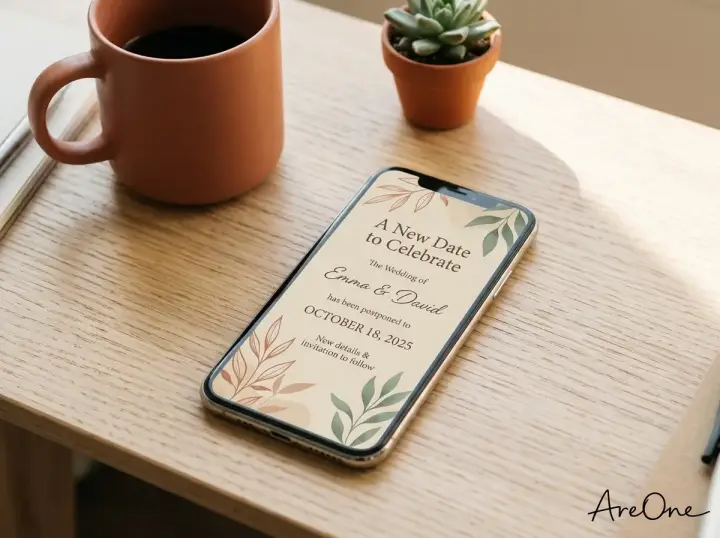
TL;DR: Crafting a clear wedding postponement message and updating your wedding website doesn't have to be stressful; use our copy-paste templates and restructuring checklist to quickly inform your guests.
Navigating Change: The Art of the Wedding Postponement Message
Life is unpredictable, and sometimes the universe has different plans for your big day. Sending a wedding postponement message is often the first, most crucial step when you realize your original timeline needs to shift. Whether the delay is due to an unexpected family emergency, unpredictable weather patterns, or a sudden venue double-booking, letting your guests know promptly is essential.
We understand that altering your carefully laid plans can feel overwhelming. You have spent months visualizing a specific date, and letting go of that timeline requires a moment of emotional adjustment. However, communicating this change does not have to add to your anxiety. With the right approach, you can transition your event smoothly and keep your guests excited.
Modern couples have a distinct advantage when plans change. Unlike the days of paper invitations, where a delay meant expensive reprints and weeks of postal delays, digital platforms allow for instant communication. By updating your wedding website and sending a beautifully crafted digital update, you can manage expectations with just a few clicks.
What Guests Expect to Find on Your Updated Website (Fast Scan)
When a guest receives your wedding postponement message, their immediate reaction is often a mix of sympathy for you and a mild panic regarding their own logistics. They will immediately click your link to figure out what happens next. Because they are reading with a specific goal in mind, they will likely skim your content.
This behavior is known as the fast scan. Your guests are not reading your homepage like a novel; they are hunting for vital pieces of data. They want to instantly know the new date, the new location, and whether they need to take immediate action regarding their flights or hotels. You must cater your design to this behavior.

To accommodate the fast scan, place the most critical information at the absolute top of your page. Use large, bold fonts for the revised date and venue. Do not bury the lead. If you are still figuring out the exact details, it is perfectly acceptable to state that a new date is to be determined. Honesty and clarity are far more comforting to guests than vague, hidden details.
Must-Have Sections for Your Rescheduled Celebration
When you are rethinking your layout, knowing exactly what to put on wedding website pages is critical for a smooth transition. Your site acts as the central hub of truth for your event. If a detail is missing, you will inevitably receive a flood of text messages asking the same questions.
There are specific wedding website sections that require your immediate attention the moment you decide to delay. You cannot simply change the date on the homepage and leave the rest of the site untouched. Every page must be audited to ensure it aligns with the new reality of your celebration.
Let's break down the exact areas you must update to keep your loved ones informed, comfortable, and ready to celebrate when the time is right. If you want a broader overview of site building, you can review our comprehensive wedding website checklist.
Event Schedule and Adjusted Timelines
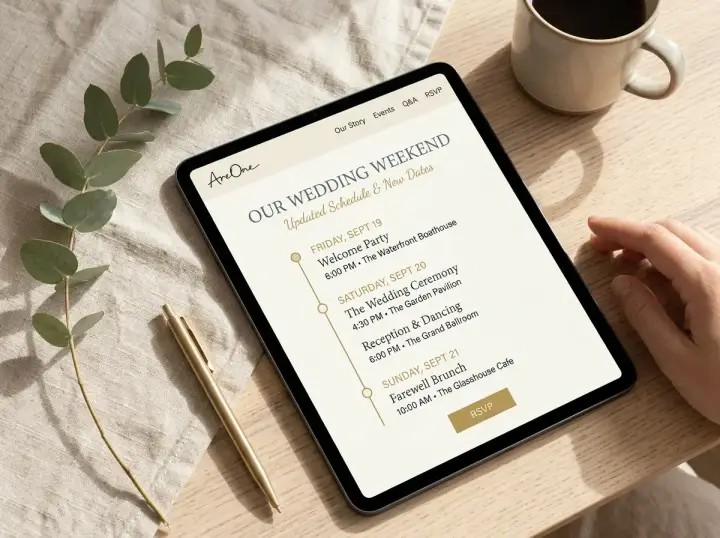
When you shift your date, the flow of your day might change dramatically. Perhaps a summer evening ceremony is transforming into a crisp autumn afternoon event. You must update your timeline immediately to reflect these seasonal and logistical nuances. Guests rely heavily on your itinerary to plan their outfits, childcare, and travel arrangements.
Be meticulously detailed in this section. If the welcome party is now on a Friday instead of a Thursday, make that abundantly clear. Highlighting the changes in bold text can draw the eye and prevent any lingering confusion from your previous plans. Clarity here prevents guests from showing up at the wrong time.
The Digital RSVP Re-Do
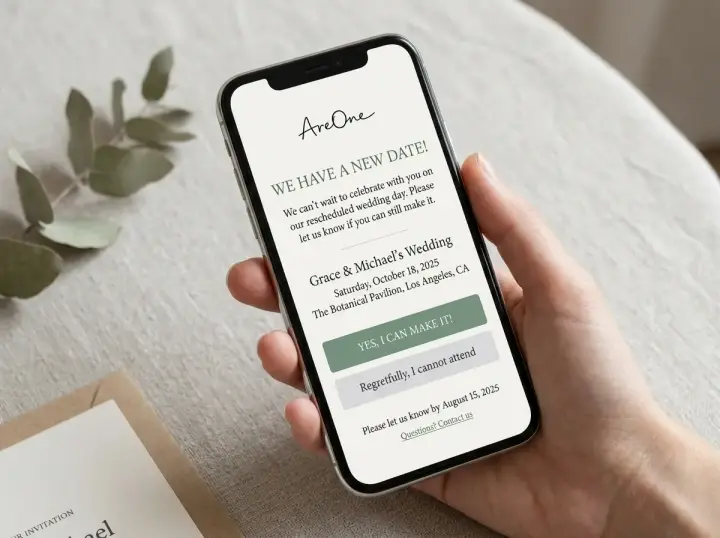
One of the biggest headaches of a delayed event is managing the guest count. A digital platform eliminates this stress entirely. You will need to reset your responses and politely ask everyone to confirm their attendance for the new date. Life circumstances change constantly.
Someone who could not make the original date might suddenly be available. Conversely, some guests may now have unavoidable conflicts. Using an automated digital RSVP system allows you to send a quick broadcast note and watch the updated responses roll in seamlessly, without manually tracking a spreadsheet.
Maps, Travel, and Accommodations Updates
A change in date almost always means a change in travel logistics. This is where your out-of-town guests will feel the most anxiety. Have you secured a new hotel block? Are the original discount codes still valid? You must proactively answer these questions to ease their minds.
If your venue has changed entirely, ensure your embedded maps reflect the new address. Providing updated links to local airports, car rental services, and nearby accommodations shows your guests that you value their comfort. It proves you are actively trying to minimize their travel-related stress during this transition.
Recommended ReadingThe 12 Best Sections for a Wedding Website: A Stress-Free Setup Guide →Nice-to-Have Sections to Keep the Romance Alive
While logistics are the priority, your website should still feel like a celebration of your love. Do not let the administrative tasks overshadow the romance. Keeping your story front and center helps guests remember why they are excited to attend in the first place.
Your photo gallery is a wonderful place to inject some joy. Consider adding a few new engagement photos or a sweet snapshot of the two of you handling the delay with grace. A brief note in your 'Our Story' section acknowledging the bump in the road can make your narrative feel even more authentic and resilient.
your registry might need a quick review. While it is not the main focus of a delay, ensuring links are still active is helpful. Keeping these nice-to-have sections updated maintains the warm, inviting atmosphere of your digital space.
Wedding Website Wording Tips for Postponements
Your wedding website wording sets the tone for your entire event. When announcing a delay, you want to strike a balance between informative and optimistic. The goal is to reassure your guests that the celebration is still happening, just on a different timeline.
Simplicity is your best friend. Write in short, easily digestible sentences. Remember that guests of all ages, including elderly relatives, will be reading your site. Avoid overly complicated metaphors or lengthy explanations about why the delay occurred. Stick to the facts and frame them positively.
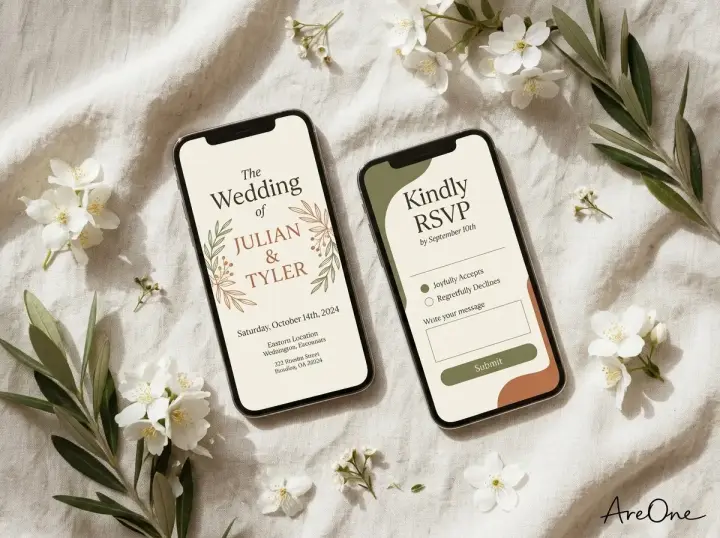
Browse invitation layouts that fit your plan.
Compare layouts for schedules, travel details, guest guidance, and RSVP information before choosing one for your invitation.



always design with a mobile-first mindset. The vast majority of your guests will open your link on their smartphones. If your paragraphs are too long, they will appear as intimidating walls of text on a small screen. Keep it brief, friendly, and clear.
Common Mistakes Couples Make When Changing Dates
Even the most organized couples can stumble when rushing to update their plans. Recognizing these common pitfalls can save you hours of corrective work later. Let's explore the most frequent mistakes couples make when broadcasting a date change.
Mistake 1: Hiding the New Date. Guests should never have to scroll endlessly or click through multiple pages to find the new date. As mentioned earlier, place it prominently on your landing page. If they cannot find it within three seconds, you will be fielding phone calls.
Mistake 2: Keeping the Old RSVP Form Active. If you do not reset your RSVP counts and forms, you will end up with inaccurate headcounts. A guest who said 'yes' to July might be a 'no' for November. Always start fresh and require a new response.
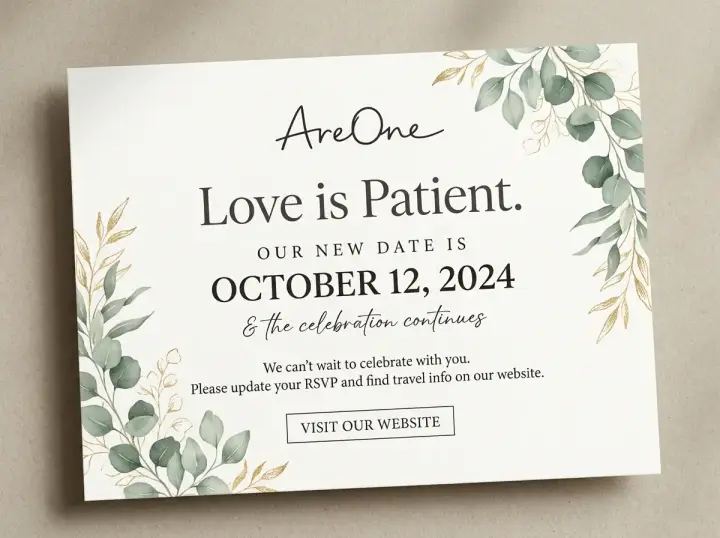
Mistake 3: Over-Explaining the Situation. You do not owe anyone a novel about why the date changed. While transparency is good, diving into vendor disputes or minor family drama is unnecessary. Keep your explanation brief and focus the narrative on the exciting future ahead.
Mistake 4: Forgetting the Hotel Blocks. If you had reserved hotel rooms, guests need to know immediately if those reservations automatically transfer or if they need to cancel and rebook. Failing to provide this information can cost your loved ones money.
Copy-Paste Wedding Postponement Message Examples
Staring at a blank screen is intimidating. To make your life easier, we have crafted several templates. You can copy, paste, and adjust these to fit your unique situation perfectly.
1. The Formal Postponement
'Due to unforeseen circumstances, the wedding of [Name] and [Name] has been postponed. We are thrilled to announce our new date will be [New Date]. We sincerely apologize for any inconvenience this may cause and eagerly anticipate celebrating with you soon. Please submit a new RSVP by [Deadline].'
Why it works: This template is traditional and polite. It removes any guesswork and is perfect for black-tie events. It leaves no room for confusion, making it accessible for your older guests.
2. The Casual & Warm Update
'We have a new date! While we are bummed we cannot celebrate with you on [Old Date], we are beyond excited to see you on [New Date]. All the venue details remain the same, we just need a little more time. Please let us know if you can make our new date by updating your RSVP!'
Need a faster RSVP flow?
Use AreOne to collect guest replies, meal choices, and reminders in one clean workflow.
Why it works: This approach keeps the energy high and positive. It focuses on the excitement of the marriage rather than the disappointment of the delay. It feels like a note from a good friend.
3. Destination Wedding Delay
'Pack your bags... just a little later! We are shifting our destination wedding in [Location] to [New Date]. We know travel plans are complex, so please review the updated hotel and flight information on our website. We cannot wait to relax on the beach with you all soon.'
Why it works: Destination weddings involve heavy logistics. This message immediately acknowledges the travel aspect, which is the primary concern for guests, as noted by Brides in their etiquette guide.
4. Weather-Related Shift
'Rain or shine... but preferably shine! Due to unexpected weather forecasts, we are moving our outdoor ceremony to [New Date]. We want everyone to be comfortable and dry. Thank you for your flexibility, and we look forward to a beautiful, sunny celebration with you!'
Why it works: Adding a touch of lighthearted humor alleviates the tension. It shows you are taking the disruption in stride and prioritizing the comfort of your guests.
5. Indefinite Postponement
'We are pausing our plans to ensure everyone's safety and comfort. While we do not have a new date just yet, we promise to keep you updated the moment we do. Thank you for your endless love and support during this transition.'
Why it works: Sometimes you do not have a new date right away. According to experts at The Knot, this message buys you vital time while keeping everyone calmly informed.
Your Final QA Checklist Before Hitting Publish
Before you send your mass email or text blast, you must thoroughly review your digital platform. A broken link or a typo on the new date will cause unnecessary confusion. Use this checklist to guarantee everything is flawless.
- Check the homepage banner to ensure the new date and location are highly visible.
- Test the RSVP functionality to confirm old responses are cleared and new ones are saving correctly.
- Click every single link on your travel page to ensure hotel blocks and map directions are accurate.
- Review the site on your mobile phone to guarantee the layout remains clean and readable.
- Ask a trusted friend or family member to proofread the site for any lingering mentions of the old date.
To further illustrate why managing this digitally is superior to traditional methods, review this quick comparison.
| Feature | Paper Invitations | Digital Platforms (AreOne) |
|---|---|---|
| Cost to Update | Expensive (Requires full reprints and new postage) | Completely Free |
| Delivery Speed | Takes weeks to arrive via postal service | Instant delivery via email or text message |
| RSVP Management | Manual tracking, high chance of lost mail | Automated, real-time dashboard updates |
| Environmental Impact | High paper waste and carbon footprint | Eco-friendly and sustainable |
A Seamless Transition
Delivering the perfect wedding postponement message doesn't have to delay your joy—it simply reschedules it, ensuring your ultimate celebration is worth the wait.
Frequently Asked Questions
Find quick answers to common questions about this article.

No approved comments yet.