
TL;DR: Creating a reliable digital hub for your guests requires meticulous wedding website error proofing, ensuring every detail from RSVPs to travel FAQs is crystal clear.
The Essential Guide to Wedding Website Error Proofing
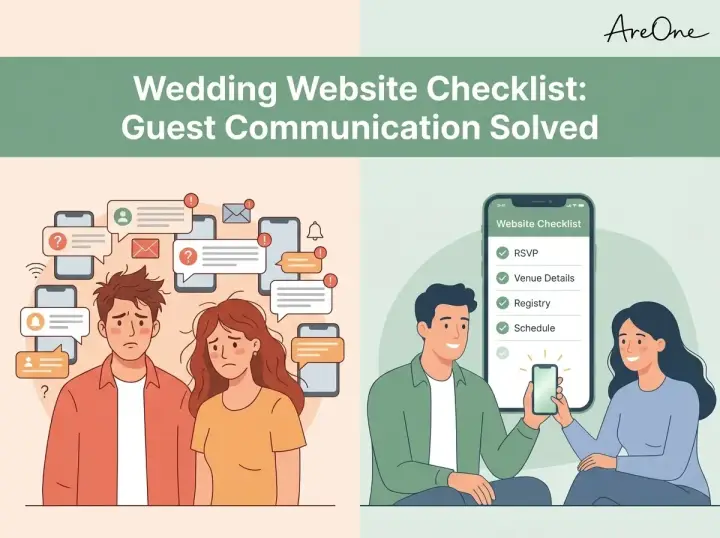
Getting ready to hit publish on your big day's digital home? Before you send that custom link to hundreds of friends and family members, you need a bulletproof strategy. Wedding website error proofing is the secret ingredient to preventing endless text messages from confused guests. a well-designed page is wonderful, but if the venue address has a typo or the RSVP button leads to a broken page, you will find yourself doing emergency tech support instead of enjoying your engagement.
When you precisely manage what to put on your wedding website, everyone knows exactly where to be, what to wear, and when the celebrations begin. Think of this process as setting up a digital concierge for your event. Guests rely on this hub to plan their travel, book their hotels, and understand the flow of the weekend. Taking the extra time to review every single element ensures a seamless experience for your attendees and total peace of mind for you.
If you are starting from scratch and want a broader overview of the planning process, you might want to review our comprehensive wedding website checklist ultimate guide. It provides a massive foundational map for your entire digital planning journey.
What Guests Expect to Find (The Fast Scan Experience)
When guests land on your page, they are rarely reading every word like a novel. Instead, they are scanning for critical information. They want to know the date, the location, and what is expected of them. Understanding this scanning behavior is the first step in successful wedding website error proofing. Your most important details should never be buried under paragraphs of romantic storytelling.
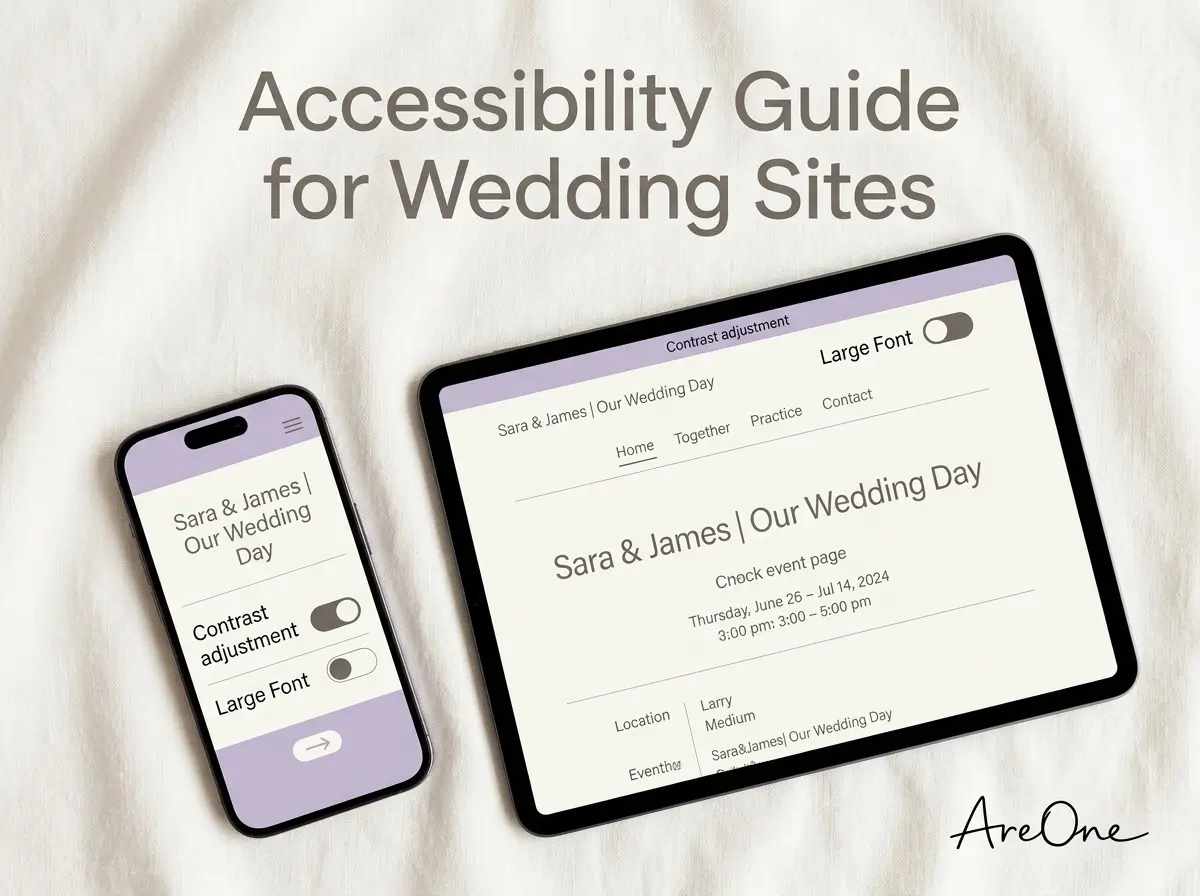
Elderly guests, in particular, need bold, clear fonts and high-contrast text. Tech-savvy friends will immediately look for an add-to-calendar button or a digital RSVP link. By designing for the fast scan, you accommodate every type of reader on your guest list.
Designing for the Mobile-First User
Over seventy percent of your guests will view your site on their smartphones. Many will even pull it up while sitting in an Uber on the way to your welcome party. If your wedding website sections do not stack correctly on a small screen, or if your map widget requires a magnifying glass to read, you have a usability issue.
Always preview your design on a mobile device before publishing. Check button sizes, ensure the text is legible without zooming in, and verify that navigation menus are easy to tap. A beautiful desktop site means very little if the mobile version is frustrating to navigate.
[Insert Image Here: Alt text containing wedding website error proofing on a mobile device]
Non-Negotiable Wedding Website Sections
Every great event hub shares a foundational structure. While you can customize the aesthetics to match your theme, certain wedding website sections are non-negotiable. Missing any of these core components will inevitably lead to guest confusion.
The Master Schedule and Timeline
Your schedule page is the heartbeat of your site. Guests need to know exactly when the doors open, when the ceremony starts, and when the reception ends. If you are hosting a multi-day event with welcome drinks and a farewell brunch, this timeline becomes even more critical. Be extremely specific with times and locations for each micro-event.
A pro tip is to clarify which events are for all guests and which are exclusive to the wedding party. A simple note like 'Rehearsal Dinner (Invitation Only)' saves a lot of awkward conversations. For public events, provide exact addresses and parking instructions.
Seamless Digital RSVP Integration
Managing paper response cards is rapidly becoming a thing of the past. A digital RSVP system is faster, more accurate, and far easier to organize. Your RSVP page should clearly state the deadline to respond. You must test this page extensively during your review process. Submit a test RSVP to ensure you receive the notification and the guest receives a confirmation email.
If you need an elegant solution for this, you can explore how to set up a simpler digital RSVP integration that tracks meal choices, plus-ones, and dietary restrictions automatically.
[Insert Screenshot Here: Alt text showing AreOne digital RSVP dashboard tracking meal choices]
Travel, Maps, and Accommodations
If you have out-of-town guests, your travel section is their lifeline. You need to provide the closest airport codes, reliable transportation options, and clear directions to the venue. If you have secured hotel room blocks, provide the booking links, the discount codes, and the absolute final cutoff date to secure the special rate.
According to The Knot's guidelines on essential content, failing to provide comprehensive travel logistics is a major pain point for traveling attendees. Make sure all external links to hotels and airlines open in a new tab so guests do not lose their place on your site.
Recommended ReadingWedding Website Checklist: Everything You Need to Include →Deep Dive: 4 Embarrassing Mistakes to Avoid
Even the most organized couples can miss tiny details when staring at a screen for hours. Here is a deep dive into four common mistakes that can derail your guest experience, and how to fix them.
Mistake 1: Vague Dress Code Expectations
Simply writing 'Dress to Impress' leaves too much room for interpretation. One guest's impressive outfit might be a tuxedo, while another might wear designer jeans. This ambiguity causes guest anxiety. Instead, use standard terminology like 'Black Tie Optional', 'Cocktail Attire', or 'Garden Formal'. Give a brief description of what that means, such as 'suits and ties for men, midi or floor-length dresses for women'.
Mistake 2: The Plus-One Confusion
If your digital RSVP is not configured correctly, guests might assume they can bring a date, their children, or a friend. This mistake can blow up your budget and your seating chart. Your wedding website wording must be polite but extremely firm regarding who is invited. Use a smart RSVP system that restricts entries to exactly the names listed on the digital envelope.
Mistake 3: Missing Accessibility Information
Browse invitation layouts that fit your plan.
Compare layouts for schedules, travel details, guest guidance, and RSVP information before choosing one for your invitation.



Failing to mention the physical layout of your venue can create major hurdles for elderly guests or those with mobility issues. If your ceremony is on a grassy hill, or if there are three flights of stairs to the reception hall, you must mention this. Detail where the elevators are located, if golf cart transportation is provided, and where accessible parking spots can be found.
Mistake 4: Broken Password Protection
Many couples choose to lock their site behind a password to protect their privacy. However, a frequent error is making the password too complex or forgetting to include it on the physical save-the-date. If guests cannot guess or find the password, they cannot access the travel details or RSVP. Keep the password simple, like your shared last name and the wedding year, and test it across different browsers.
Nice-to-Have Sections to Elevate the Experience
Once the critical logistics are locked in, you can focus on the fun elements. These nice-to-have sections add personality and charm to your digital footprint, making your guests feel more connected to your love story.
Your Relationship Story and Bridal Party
Guests love reading about how you met, the proposal story, and your favorite memories. Keep this section light, romantic, and brief. Similarly, introducing your wedding party with short, funny bios helps break the ice before the actual event. It allows guests to recognize key people like the Maid of Honor or the Best Man during the reception.
The Gift Registry
Modern etiquette supports linking your registry directly on your site. Rather than listing stores on a formal invitation, which can seem pushy, a subtle 'Gifts' or 'Registry' tab is the perfect, polite solution. Ensure the links go directly to your customized registry pages, whether you are asking for traditional homewares or a honeymoon cash fund.
Must-Have vs. Nice-to-Have Summary Table
To help you organize your content checklist, here is a quick breakdown of what is required versus what you can add if you have the time and energy.
| Website Element | Category | Guest Importance | Main Purpose |
|---|---|---|---|
| Event Timeline & Addresses | Must-Have | Critical | Ensures guests arrive on time and at the right place. |
| Digital RSVP System | Must-Have | Critical | Finalizes your headcounts and meal selections. |
| Travel & Hotel Blocks | Must-Have | High | Helps out-of-town guests plan their logistics. |
| Frequently Asked Questions | Must-Have | High | Reduces repetitive texts and clarifies rules. |
| Gift Registry Links | Nice-to-Have | Medium | Provides a polite way to share gift preferences. |
| Engagement Photos & Story | Nice-to-Have | Low | Adds a personal, romantic touch to the page. |
| Local Things to Do | Nice-to-Have | Low | Entertains guests arriving early for the weekend. |
Expert Wedding Website Wording Tips
Nailing your wedding website wording is an art form. You want to sound gracious and excited, but you also need to set firm boundaries. The trick is to keep your sentences short, clear, and relentlessly positive.
According to experts at Brides magazine, passive-aggressive phrasing is a massive faux pas. Never scold your guests in advance about being late or using their phones. Instead, frame your rules as a way to enhance the collective joy of the day.
Need a faster RSVP flow?
Use AreOne to collect guest replies, meal choices, and reminders in one clean workflow.
[Insert Image Here: Alt text showing a beautiful mobile wedding website layout with clear typography]
Copy-Paste Examples for Tricky Situations
Sometimes, finding the right words for awkward rules is difficult. We have drafted a few effective copy-paste templates you can drop directly into your FAQ section. These examples work because they focus on the positive outcome of the rule, rather than the restriction itself.
Example 1: The Adults-Only Rule
What to paste: 'We love your little ones, but our wedding will be an adults-only celebration. We hope this advance notice allows you to secure childcare and enjoy a fun, relaxed night out with us!'
Why it works: It frames the lack of children not as a ban, but as an opportunity for the parents to have a simpler date night.
Example 2: The Unplugged Ceremony
What to paste: 'We invite you to be present with us during our ceremony. Please turn off all phones and cameras until the reception. We have hired an incredible photographer and promise to share all the professional photos with you!'
Why it works: It reassures guests that they will still get amazing photos, eliminating their urge to play amateur photographer from the aisles.
Example 3: Specific Dietary Requirements
What to paste: 'Our caterer is happy to accommodate allergies and dietary restrictions. Please note your requirements on the digital RSVP form by [Date] so we can ensure a delicious meal is prepared safely for you.'
Why it works: It sets a hard deadline for requests while sounding hospitable and caring.
Supporting a Global Guest List
If you have family members flying in from different countries, or if your families speak different languages, proper wording goes beyond just tone. You must ensure nothing is lost in translation. Setting up a multilingual digital invitation ensures every guest feels respected and understands the timeline and travel logistics in their native language.
The Ultimate QA Checklist Before You Publish
You have written the content, added the photos, and customized the fonts. Now comes the most vital phase of wedding website error proofing. Do not skip this step. Grab a cup of coffee, sit down at a desktop computer, and run through this definitive quality assurance checklist.
- Test all RSVP logic: Enter a fake name to ensure uninvited guests cannot RSVP. Test a real name to verify meal choice options pop up correctly.
- Click every single link: Verify that hotel block links go to the exact booking page, not just the hotel's generic homepage. Check that registry links open correctly.
- Verify the maps: Click the venue addresses on your mobile phone to ensure they open seamlessly in Google Maps or Apple Maps with the correct destination pin.
- Proofread for typos: Read the entire site out loud. Reading aloud forces your brain to catch missing words and awkward phrasing that your eyes usually skip over.
- Review the mobile layout: Open the site on an iPhone and an Android device. Check if photos are cropped weirdly or if text overlaps with buttons.
- Check the loading speed: If you uploaded massive, uncompressed engagement photos, your site might take ten seconds to load. Compress your images so the site is snappy.
- Confirm the FAQ visibility: Ensure the FAQ section is easily accessible from the main navigation menu so guests do not have to hunt for the dress code.
[Insert Graphic Here: Alt text illustrating a timeline of wedding events for a weekend celebration]
Ready to Proof Your Way to the Altar?
Building your digital guest hub should be an exciting milestone, not a source of technical dread. By following these rigorous steps, you ensure that every question is answered before it is even asked. Don't let a typo crash your party—when it comes to wedding website error proofing, your final edit is the digital ring that seals the deal.
Frequently Asked Questions
Find quick answers to common questions about this article.

No approved comments yet.