
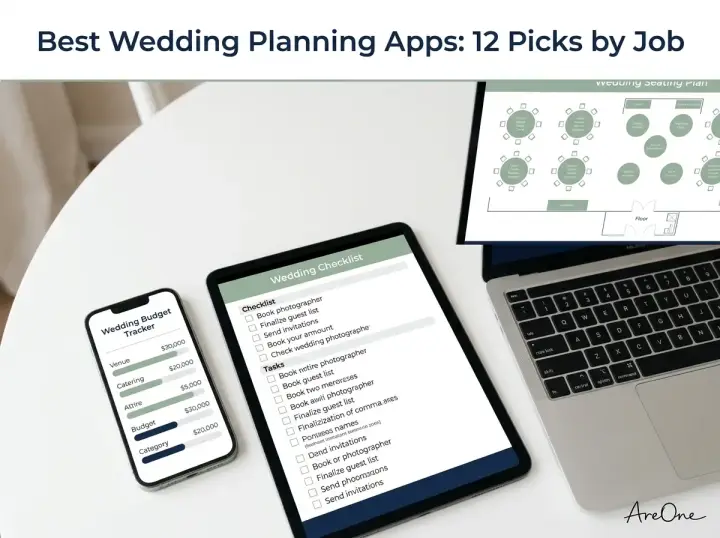
TL;DR: You will have a much calmer engagement by pairing a few specialized tools from the best wedding planning apps for your budget, checklist, digital invitations, and guest photos.
According to The Knot Real Weddings Study, the average wedding has 117 guests and follows an engagement of about 15 months. Trying to track venue deposits, dietary restrictions, seating layouts, and reception playlists inside a single crowded dashboard quickly turns exciting decisions into screen fatigue.
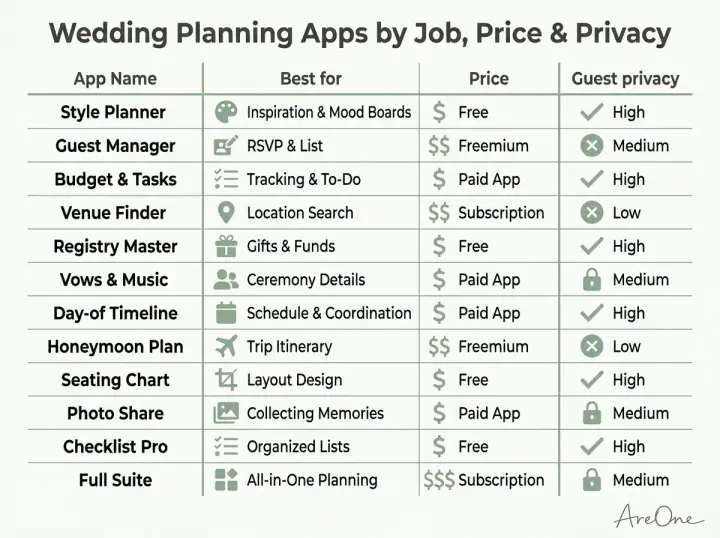
We compared the top planning tools on their published features to help you build a calm, practical digital toolkit, and organized the 12 picks below by specific job—complete with guest data privacy notes so your loved ones stay protected.
The 12 best apps at a glance (comparison table)
Before downloading a dozen icons onto your phone, decide which planning jobs actually need dedicated software. Most couples only need three core tools: a shared budget and task tracker, a private guest list and online RSVP hub, and a simple way to collect candid guest photos at the reception.
Plans, platforms and privacy policies below come from each provider's published information and change often, so always check each provider's current page before committing.
| App | Best For (Job) | Price | Platforms | Guest Data & Privacy |
|---|---|---|---|---|
| Bridebook | Guided milestone planning | Free (paid add-ons) | iOS, Android, Web | Review vendor-contact settings before sharing details. |
| WeddingHappy | Offline task countdowns | Free basic; paid Pro | iOS, Web | No guest contact data required; local device storage. |
| Fudget | Deposit and tip math | Free basic; paid Pro | iOS, Android, Desktop | No bank linking or personal guest data collected. |
| Trello | Visual kanban checklists | Free tier; paid plans | iOS, Android, Web | Private boards by default; collaborator-only access. |
| Todoist | Vendor payment reminders | Free tier; paid Pro | iOS, Android, Web | Encrypted task lists shared only with invited partners. |
| AreOne | Digital invites, RSVP & guest list | Free to start (see plans) | Web (mobile & desktop) | Does not sell account or guest data (see privacy policy). |
| Prismm | 3D venue floor plans | Free trial; custom venue plans | Web (desktop & tablet) | Private room layouts; secure collaborator seating charts. |
| WedShoots | Live reception photo feed | Free | iOS, Android | PIN-protected album; requires guest app download. |
| POV | Browser disposable camera | Free trial; paid event passes | Mobile Web via QR | Private gallery; no guest app or login required. |
| Spotify | Collaborative music lists | Free with ads; paid Premium | iOS, Android, Desktop | Invite-only playlist links; no guest data needed. |
| Secret vendor mood boards | Free | iOS, Android, Web | Secret boards hide visuals from public search. | |
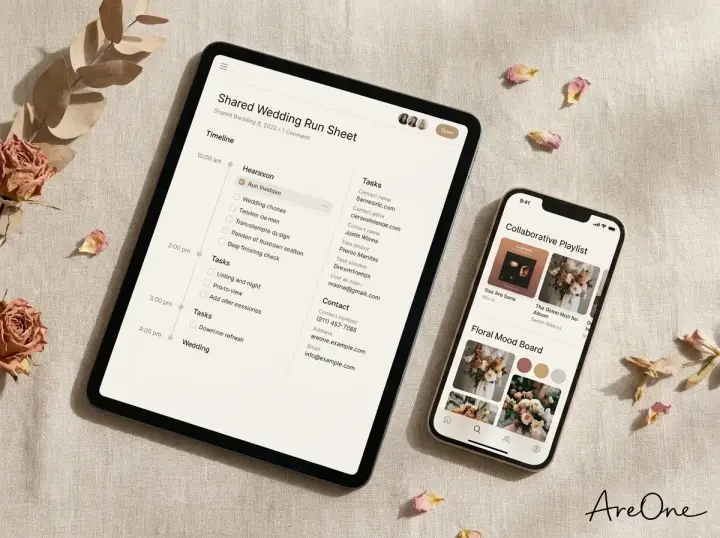
| Notion | Vendor wikis & run sheets | Free personal; paid plans | iOS, Android, Desktop | Granular permissions; share only selected pages. |
All-in-one planners
All-in-one platforms bundle countdown calendars, vendor directories, and basic calculators under a single login. They are helpful during the first month of your engagement when you are mapping out your 12-month wedding planning timeline and deciding which big-ticket vendors to interview first.
We do not review The Knot or Zola in depth in this roundup; if you are comparing those major marketplaces against dedicated invitation tools, check out our AreOne vs. The Knot comparison and our AreOne vs. Zola breakdown instead.
1. Bridebook: Best wedding planning app for couples who want guided milestones
Bridebook is a standout wedding planning app for couples who want a structured roadmap from day one. Enter your target wedding date and estimated spend, and the app generates a personalized countdown alongside realistic vendor cost estimates while syncing every checked task across both partners' phones.
- Pros: Clean mobile layout, dynamic budget estimator, and instant two-partner account syncing.
- Cons: Built around finding and booking vendors, so guest-facing invitations and RSVPs need a separate tool.
2. WeddingHappy: Best offline countdown planner
If you want a simple timeline tracker, WeddingHappy is a refreshing choice. Built primarily for iOS and web users, it builds a backwards-scheduled checklist from your ceremony date and works completely offline during basement or rural vineyard venue tours.
- Pros: Works offline without Wi-Fi, avoids intrusive vendor ads, and exports clean payment summaries.
- Cons: Multi-user syncing requires a paid upgrade, and Android users must use the web app.
Budget and checklist apps
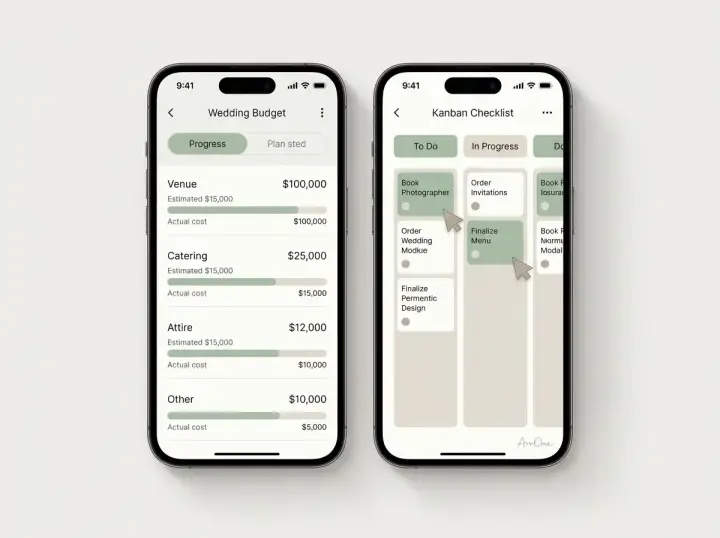
Staying on budget requires tracking not only initial contract quotes, but also service charges, taxes, and cash tips due on the wedding morning. Dedicated finance and task apps keep you and your partner focused on numbers and deadlines.
3. Fudget: Best wedding budget app for fast deposit tracking
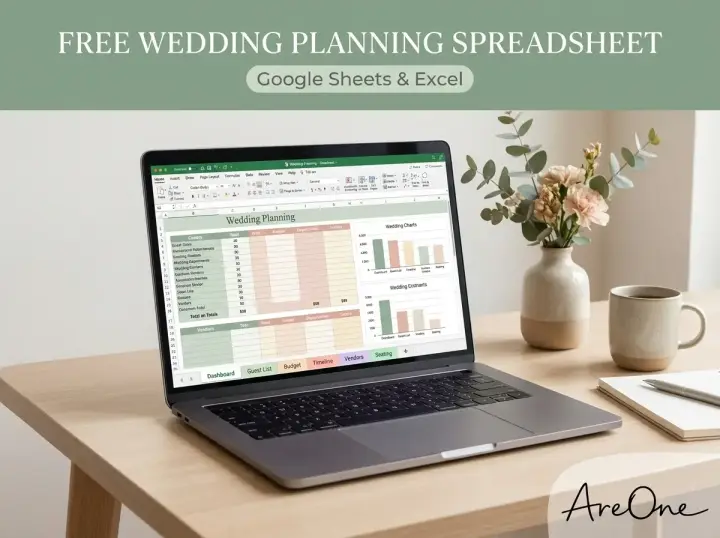
Many couples abandon complicated spreadsheet templates because editing tiny formulas on a phone screen is frustrating. Fudget is a minimalist wedding budget app that operates like a clean digital checkbook, letting you log each venue deposit, catering installment, and alteration fee without ever linking a bank account.
- Pros: Zero bank linking required for financial privacy, instant remaining-balance math, and one-tap partial payment tracking.
- Cons: No automated pie charts, and real-time partner syncing requires a low-cost Pro upgrade.
4. Trello: Best visual wedding checklist app for shared boards
If you and your partner think visually, Trello makes a flexible wedding checklist app. Instead of scrolling through a vertical list of 200 tasks, you create columns like "Researching," "Waiting on Quotes," and "Booked," then attach PDF contracts and due dates to individual vendor cards.
- Pros: Generous free plan, intuitive drag-and-drop workflow, and easy file attachments for vendor contracts.
- Cons: Includes no pre-loaded wedding tasks, so you must set up your own board columns first.
5. Todoist: Best deadline tracker for vendor payment reminders
When you are juggling a dozen vendor contracts, missing a final headcount or second-installment deadline can trigger avoidable late fees. Todoist lets you type natural phrases like "Pay photographer second deposit on June 1 at 9am" and automatically schedules shared alerts for both partners.
- Pros: Fast natural-language date entry, cross-platform apps including smartwatches, and calm daily task views.
- Cons: Custom reminder alerts and larger file uploads require the Pro tier.
Guest list, RSVP and seating apps
Your guest list shapes every logistical decision—from catering quantities and bar packages to table rentals and ceremony chairs. Pairing a dedicated invitation platform with smart RSVP tracking tips keeps your headcount accurate while sparing older relatives from confusing account sign-ups or aggressive pop-up ads.
6. AreOne: Best for digital invitations, online RSVP and guest list management
Browse invitation layouts that fit your plan.
Compare layouts for schedules, travel details, guest guidance, and RSVP information before choosing one for your invitation.



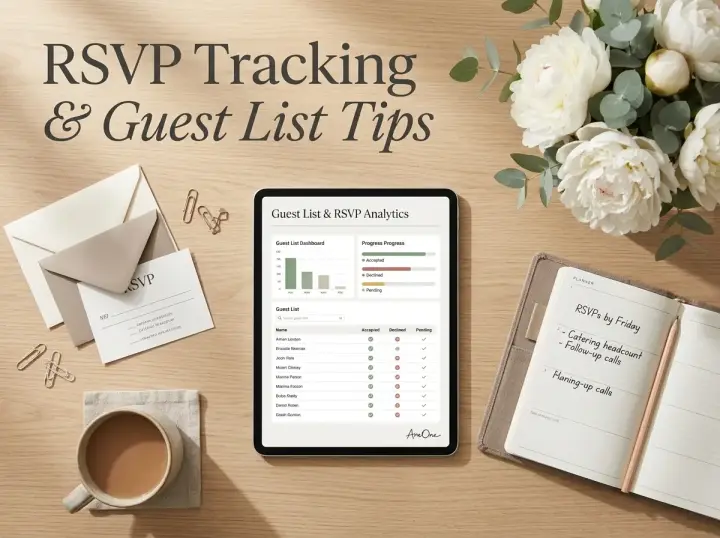
AreOne gives couples a calm, modern workspace to design digital wedding invitations and collect online RSVPs. You can share your invite via a custom AreOne URL or a printable QR code that opens smoothly on any phone, tablet, or computer. Inside the wedding guest list management tool, you can organize households, browse customizable templates, and create multilingual invitations so international relatives can read every detail in their own language.
Guests can reply in under a minute, note dietary needs, or leave a dance-floor request inside the RSVP note field, and couples can add a link to their external registry directly on the invite. Event Pass adds seating tools for reception planning, while AreOne's full Wedding Website product is coming soon. Visit our current plans and pricing page to explore available options.
- Pros: Does not sell guest data, native multilingual invitations, QR codes, custom AreOne URLs, and Event Pass seating.
- Cons: Does not host registries directly (couples link their external registry on the invite), and the standalone Wedding Website builder is coming soon.
7. Prismm: Best 3D floor plan app for reception seating layouts
Once your final headcount is confirmed, judging whether twelve round tables will crowd the dance floor is tough on a flat sketch. Prismm (formerly AllSeated) lets you map your reception space to exact architectural scale and preview table arrangements in 2D and 3D views with your coordinator.
- Pros: True-to-scale venue dimensions, 3D room walkthroughs, and live collaboration with professional planners.
- Cons: Much easier to use on a laptop than a phone, and free personal access is limited compared to venue accounts.
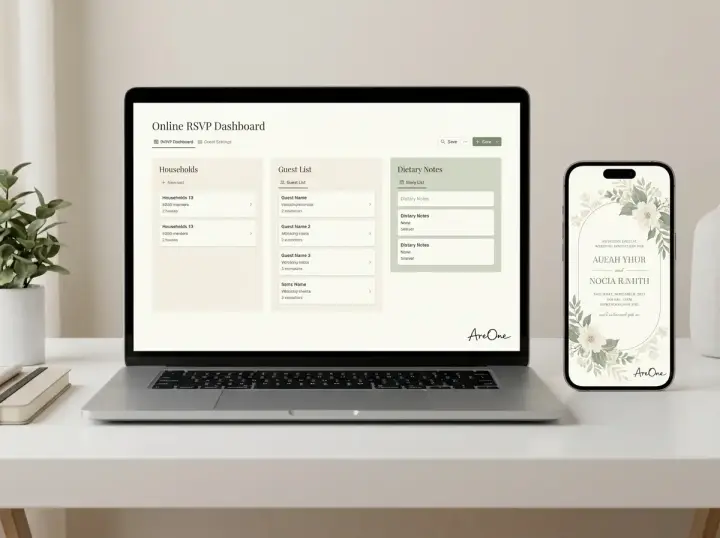
Photo-sharing apps for guests
Professional photography galleries often take six to ten weeks to return from editing, making candid guest snapshots priceless the morning after your wedding. The best apps for wedding guests make uploading photos effortless without forcing relatives through multi-step registration forms.
8. WedShoots: Best of the free wedding planning apps for live photo slideshows
Created by the WeddingWire team, WedShoots is one of the most popular free wedding planning apps for crowd-sourced reception photography. You generate a private album protected by a QR code and PIN, allowing guests to upload photos and stream a live slideshow onto a reception screen.
- Pros: Completely free, includes a live reception slideshow mode, and lets couples download high-resolution photo archives.
- Cons: Guests must download the native iOS or Android app onto their phones before uploading pictures.
9. POV: One of the best apps for wedding guests with zero downloads
If you love the nostalgic feel of film disposable cameras on reception tables but dislike paying for darkroom development that turns out blurry, POV is one of the best apps for wedding guests. Guests scan a table QR code and a vintage camera viewfinder opens directly in their phone browser with no app download required.
Need a faster RSVP flow?
Use AreOne to collect guest replies, meal choices, and reminders in one clean workflow.
- Pros: Zero app download required for guests, authentic disposable-film filters, and fun next-day gallery reveal settings.
- Cons: The free tier only covers a small test group; full events need a paid pass.
Music, inspiration and shared-docs apps
A tool does not need "bridal" in its name to earn a spot in your planning workflow. Often, the everyday creative apps already on your phone handle collaborative playlists, floral mood boards, and day-of schedules far more smoothly than single-use wedding software.
10. Spotify: Best for collaborative reception playlists
Whether you are briefing a professional DJ, guiding a live band, or curating a DIY playlist for your welcome dinner, Spotify makes musical teamwork simple. You and your partner can build collaborative playlists for cocktail hour, dinner, and dancing—plus a firm "Do Not Play" list for your DJ.
- Pros: One-tap collaborative playlist links for your partner and bridal party, built-in crossfade settings, and offline downloads on paid plans.
- Cons: Requires an ad-free Premium plan if you play music directly at an event.
11. Pinterest: Best for secret visual mood boards with vendors
Trying to describe "moody candlelight" or "airy garden-style bouquets" over email often leads to mixed signals with florists and stylists. On Pinterest, you can create secret boards organized by ceremony arch, reception tables, and attire, then invite your florist or photographer to collaborate on the exact same visual reference.
- Pros: Free to use, huge visual search library, and secret board toggles that hide spoilers from guests.
- Cons: Search feeds increasingly mix AI-generated fantasy wedding photos with real weddings, which can skew budget expectations.
12. Notion: Best shared workspace for vendor contracts and run sheets
During the final two months before your wedding, you need one organized hub for ceremony readings, hair and makeup schedules, vendor cell numbers, and tipping amounts. Notion works like a digital binder where you can publish read-only day-of schedule pages for your wedding party while keeping contract folders private.
- Pros: Granular page-by-page sharing permissions, customizable tables, and instant syncing across mobile and desktop.
- Cons: Takes a little longer to learn than basic notes apps if neither partner has used block-based docs before.
How to choose (privacy, cost, sharing with a partner)
Most couples do best with a small, intentional stack of two or three tools rather than trying to force one app to do twelve different jobs. Before you upload family contact lists or payment details, read the FTC's guidance on how websites and apps collect and use your information and run each app through this quick checklist:
- Check how the app makes money: If one of the free wedding planning apps charges nothing at all, verify whether it monetizes by sharing your email address, wedding date, and guest contacts with third-party advertisers.
- Test partner syncing on both phones: Make sure your wedding planning app for couples updates instantaneously across iOS and Android so you never double-pay a vendor deposit.
- Keep guest-facing links friction-free: Choose an online RSVP and photo setup that opens directly in a web browser via a link or QR code, so elderly guests never have to remember passwords.
- Confirm data export options: Ensure you can download your guest list as a CSV spreadsheet and your guest photos as a ZIP file before any paid plan expires.
Copy-paste templates to share apps with your partner and guests
Clear communication prevents app fatigue. Use these copy-paste messages to introduce your digital tools to your partner and guests without confusion:
Copy-Paste Example 1 (Partner Planning Setup): "Hey love, instead of juggling ten different logins, I set up two shared tools for us: a Trello board for our monthly vendor tasks and an AreOne dashboard for our guest list and digital invitations. Tap the invite links in your email so we can check off Friday's venue questions together!" Why this works: It limits the tech stack to two clear tools and ties the setup to one small, immediate action.
Copy-Paste Example 2 (Guest Invitation & Photo Note): "We cannot wait to celebrate with you! Please tap our custom AreOne URL below to view our digital wedding invitation and submit your online RSVP by June 1—no app download or password needed. At the reception, scan the QR code on your menu to snap candid photos in our browser camera!" Why this works: It reassures older relatives right away that they will not need to download anything or create an account.
4 common mistakes with the best wedding planning apps
Even the best wedding planning apps can create extra work if you fall into these four common traps:
- Uploading guest data to apps you have not vetted: Before pasting relatives' home addresses, emails, and phone numbers into any app, check what it does with that information and whether you can delete it later.
- Splitting tasks across unsynced notes: Keeping half your tasks in Apple Notes and the other half in a wedding checklist app guarantees missed deadlines. Pick one central task board and archive the rest.
- Overcomplicating guest technology: Requiring guests to download two separate apps for RSVPs and table photos cuts participation in half. Browser-based QR codes get far more replies and candid snapshots.
- Waiting until after the honeymoon to download files: Temporary photo galleries and paid project boards can expire thirty days after your wedding date. Set a calendar reminder one week after the wedding to export all photos and records.
Happily ever app-ter: picking the best wedding planning apps for your day
Saying "I do" to your partner should not mean marrying a dozen noisy software notifications. By choosing the best wedding planning apps by specific job—a simple budget register, a shared visual checklist, and a private hub for your digital invitations and RSVPs—you can spend less time troubleshooting screens and more time enjoying your engagement.
Ready for effortless guest communication? Manage guests and RSVPs in one place with AreOne, or Browse our modern templates to start creating your digital wedding invitation today.
Frequently Asked Questions
Find quick answers to common questions about this article.


No approved comments yet.