
TL;DR: Planning a wedding is an exciting milestone, and creating captivating animated wedding invites for your big day ensures a memorable, simpler, and elegant experience for your guests.
The Magic Behind Animated Wedding Invites
When you start imagining your perfect celebration, creating captivating animated wedding invites for your big day is one of the most exciting early steps. Your invitation sets the exact tone for everything that follows. Traditionally, couples relied heavily on thick paper stocks and letterpress designs to convey elegance. Now, digital motion transforms how you announce your love story to friends and family.
Animated wedding invites capture the magical sensation of opening a luxury physical envelope without the hefty printing costs or postage delays. By introducing gentle motion, such as a delicate virtual envelope sliding open or subtle gold foil catching the digital light, you instantly engage your guests. This dynamic approach guarantees that your wedding details will not just be read, but experienced.
Beyond the undeniable aesthetic appeal, going paperless with moving designs solves countless logistical headaches. You eliminate the worry of lost mail, incorrect postage, and tracking down manual responses. We believe your wedding planning journey should remain a joyful, calming process. Embracing modern technology allows you to breathe easy while delivering a premium, personalized touch directly to your guests' smartphones.
If you want to explore the full spectrum of going paperless, we recommend reading our comprehensive guide on elegant digital wedding invitations.
Understanding Types of Motion Design for Your Event
Not all digital motion is created equal. When designing your announcement, understanding the different types of animation available will help you match your personal style. The goal is to enhance the message, never to distract from the vital details of your event.
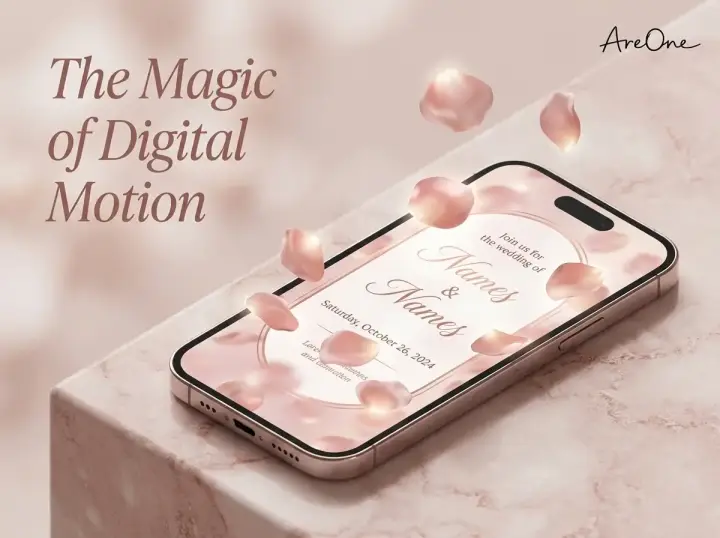
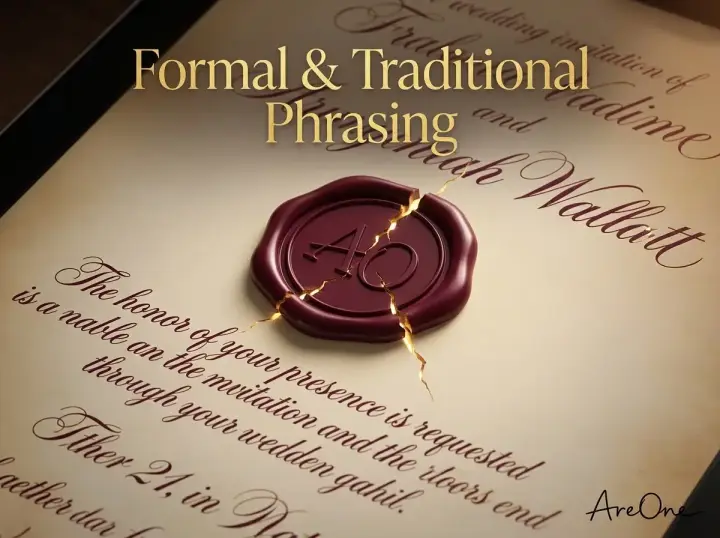
One popular style is the virtual unboxing experience. This mimics the classic postal delivery. Guests receive a digital envelope sealed with a custom wax stamp. With a simple tap, the wax seal gently breaks, the flap lifts, and your beautiful invitation slides smoothly onto their screen. It is familiar, comforting, and sophisticated for traditional couples.
Another elegant option involves subtle ambient background animations. Picture a tranquil, watercolor floral background where the leaves sway slightly, or a starry night sky where tiny constellations twinkle behind your names. These micro-animations provide a soft, romantic atmosphere that feels calming and luxurious. You can view some of these beautiful effects in our animation features showcase.
For modern, bold couples, dynamic typography is a fantastic choice. Your names might gracefully draw themselves onto the screen as if penned by a live calligrapher. Alternatively, important words can gently fade in, guiding the reader's eye naturally down the page toward the RSVP button. This style is clean and functional.
How to Word Your Digital Motion Invites
A beautiful visual presentation demands equally beautiful wording. Because animated wedding invites naturally guide your guests through a visual journey, your text should be paced perfectly alongside the motion. Let us look at a few distinct styles you can confidently use.
Copy-Paste Example: Formal and Traditional
'Together with their families,
Eleanor Rose Thorne
and
Julian Thomas Vance
request the honor of your presence
at their wedding celebration.
Saturday, the fourteenth of October
Two thousand twenty-six
At four o'clock in the afternoon.
The Glass Conservatory, Seattle, Washington.
Reception and dancing to immediately follow.'
Why this works: Traditional wording pairs beautifully with the slow, deliberate motion of a classic virtual envelope opening. The formal language commands respect, while the digital delivery ensures modern convenience. The gentle fade-in of the text gives older guests plenty of time to read each line comfortably.
Copy-Paste Example: Casual and Contemporary
'We are tying the knot!
Eleanor & Julian
are thrilled to invite you to celebrate our big day.
Join us for vows, cheers, and terrible dance moves!
10.14.2026 | 4:00 PM
The Glass Conservatory, Seattle, WA.
Please click below to RSVP by September 1st.'
Why this works: This relaxed phrasing perfectly matches dynamic, fast-paced animations, such as popping digital champagne corks or confetti drops. It sets an expectation for a joyous, laid-back celebration. The direct call to action at the end is perfectly positioned right above your digital RSVP button.
Recommended Reading7 Best Tips: What to Write in Digital Wedding Invitations →4 Common Mistakes Couples Make with Animated Invites
While creating captivating animated wedding invites for your big day is a brilliant choice, there are a few subtle pitfalls to avoid. Our goal is to keep your planning simpler, so being aware of these common missteps will save you precious time.
Browse invitation layouts that fit your plan.
Compare layouts for schedules, travel details, guest guidance, and RSVP information before choosing one for your invitation.



1. Overloading the Design with Chaotic Effects
It is tempting to use every flashy feature available, from spinning text to fireworks and autoplaying loud music. However, too much motion creates visual clutter and can overwhelm the viewer. Over-animated pages often lag on older mobile devices. Stick to one or two tasteful motion elements. Elegance thrives in restraint.
2. Forgetting to Test Mobile Responsiveness
The vast majority of your loved ones will open your link on their smartphones while on the go. A common mistake is designing exclusively on a large desktop monitor and assuming it translates perfectly. Always send a test version to your own mobile device first. Check that the text remains legible when shrunk and that the animation flows on a smaller screen.
3. Burying the Crucial Details
Motion should highlight your event details, not hide them. Sometimes couples place the venue address or the RSVP deadline behind complex secondary animations or deep within a multi-page digital flipbook. Your most vital information—who, what, when, where, and how to RSVP—must be instantly accessible. If a guest has to search for the date, the design needs simplification.
4. Ignoring Load Times and File Sizes
If an animation relies on massive, uncompressed video backgrounds, it might take several seconds to load over a standard cellular network. Those few seconds of a blank screen can cause guests to close the window, assuming the link is broken. Opt for lightweight, optimized CSS animations that load instantly and beautifully.

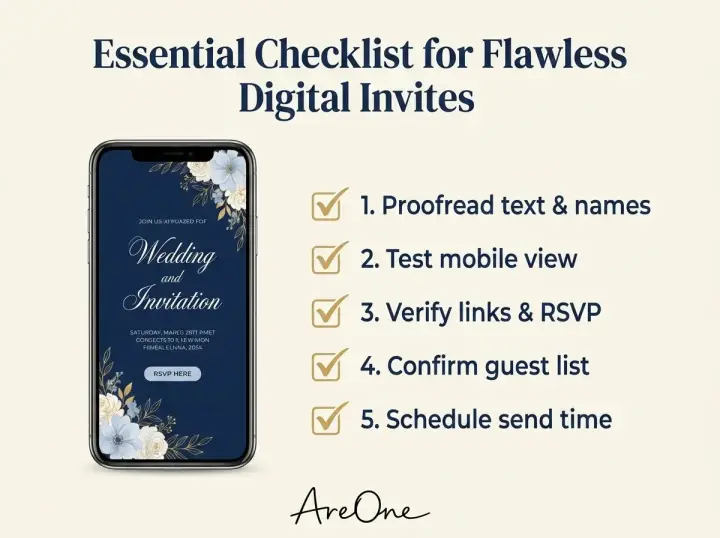
Essential Checklist for Crafting Flawless Digital Invites
To guarantee a smooth, flawless launch of your announcements, we have compiled an essential checklist. Run through these simple steps before hitting the final send button to your guest list.
- Proofread Every Word: Double-check dates, times, and spelling. Read the text backward to easily spot subtle typos.
- Verify the RSVP Link: Click your own RSVP button to ensure it connects correctly to your tracking dashboard.
- Test Across Multiple Devices: Open the link on an iPhone, an Android phone, a tablet, and a laptop.
- Check the Load Speed: Ensure the animation begins within one second of clicking the link on a standard mobile connection.
- Review Color Contrast: Make sure your text color stands out clearly against the animated background.
- Disable Autoplay Audio: If using music, provide a clear 'Play/Pause' button rather than forcing sound, which can startle guests.
- Confirm Event Privacy: Ensure your link is not searchable on public search engines if you prefer a private gathering.
Comparing Static E-Vites vs. Animated Wedding Invites
You might wonder if adding motion is worth the upgrade compared to a simple, static digital image. To help you make the most informed decision for your celebration, we have compared the two approaches directly.
| Feature / Element | Static Digital E-Vites | Animated Wedding Invites |
|---|---|---|
| First Impression | Standard, similar to a digital flyer. | Highly engaging, mimicking premium physical mail. |
| Guest Engagement | Moderate. Read and quickly closed. | High. Guests often replay the animation and linger. |
| RSVP Response Rate | Average response times. | Faster responses due to intuitive, guided digital flows. |
| Perceived Value | Seen as a budget-friendly compromise. | Viewed as a modern, high-end, intentional choice. |
| Design Flexibility | Limited to standard typography and static imagery. | Limitless ambient effects, transitions, and pacing. |
As the table highlights, motion provides a significant boost in how your loved ones perceive the event. While a static image gets the job done, an animated experience builds genuine anticipation. Plus, the investment remains cost-effective compared to traditional printing. You can compare our different tier options on our transparent pricing page to find the perfect fit for your budget.
Accessibility: Ensuring Older Guests Can Easily Read Your Invite
Need a faster RSVP flow?
Use AreOne to collect guest replies, meal choices, and reminders in one clean workflow.
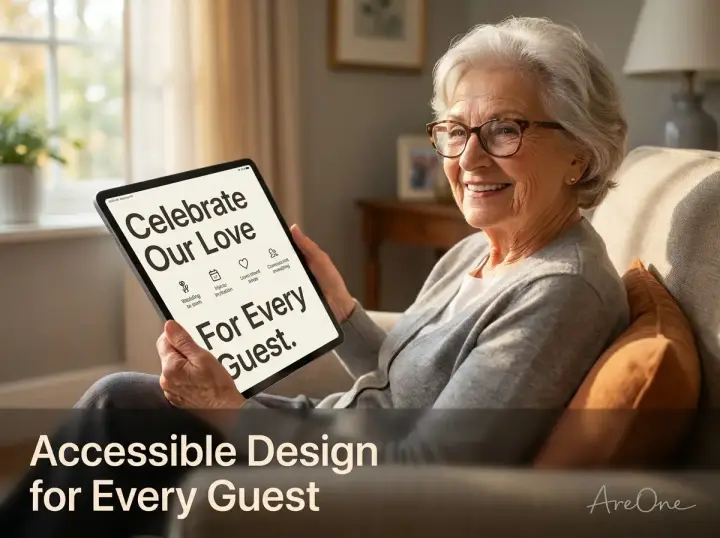
One of the most frequent concerns we hear from couples transitioning to paperless solutions is whether older relatives, like grandparents, will be able to navigate the technology. Fortunately, a well-designed digital platform is often more accessible than tiny printed fonts on traditional paper.
First, prioritize high contrast. Soft gray text on a blush pink background might look stunning in theory, but it is notoriously difficult for aging eyes to decipher. Opt for deep navy, charcoal, or classic black text on lighter backgrounds to ensure maximum readability.
Second, ensure any animations eventually come to a gentle stop. Continuous, rapid movement makes reading difficult for everyone. A best practice is to let the initial animation play out over three to five seconds, naturally settling into a static, readable state. The Web Accessibility Initiative (WAI) strongly recommends allowing users control over moving content to prevent motion sickness and reading fatigue.
Finally, keep the RSVP process simple. Older guests should not have to create an account or download a separate application to say yes. A single, visible button that asks for their name and meal preference is all you need. By keeping things straightforward, you show profound respect for all your guests, regardless of their technological comfort level.
Timing and Etiquette for Sending Your Dynamic Invites
The rules of etiquette have evolved gracefully to accommodate modern technology. While the delivery method has changed, the underlying respect for your guests' time remains paramount. Sending your digital communications at the right moment ensures everyone has ample time to plan for your special day.
For a standard local event, aim to email or text your invitations roughly eight to ten weeks before the big day. This provides plenty of time for guests to arrange babysitters, request time off work, and select their perfect outfits. If you are hosting a destination event, extending that timeline to twelve or even sixteen weeks is recommended.
For expert advice on traditional timelines that still perfectly apply to digital formats, Brides.com offers excellent etiquette guidelines. Digital delivery actually gives you a distinct advantage: you receive instant delivery receipts. If an email bounces or a text fails to send, you can immediately follow up with a phone call, completely eliminating the anxiety of invitations getting lost in the postal system.
If you are ready to start planning your timeline, feel free to browse our vast collection of beautiful animated templates to find the design that perfectly matches your upcoming celebration.
Setting Your Love Story in Motion
Your love is dynamic, living, and beautifully real, and your announcements should reflect that exact energy. We hope By taking a thoughtful approach to design, wording, and accessibility, you ensure your loved ones feel cherished from the very first click.
It is time to animate your wedding invites and watch the joyful RSVPs quickly roll in.
Frequently Asked Questions
Find quick answers to common questions about this article.

No approved comments yet.