
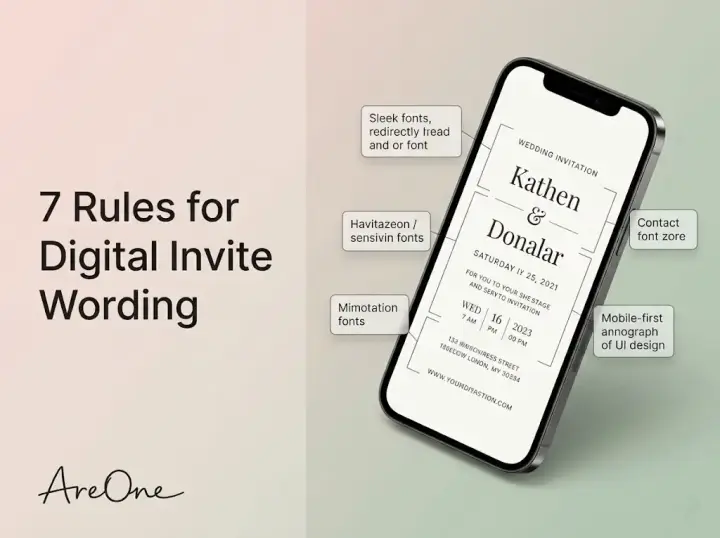
TL;DR: Learning exactly what to write in digital wedding invitations involves keeping your details clear, highlighting clickable links, and using tone-appropriate wording to guide your guests smoothly from inbox to RSVP.
The Shift to Paperless Nuptials
Sending a paperless invite brings incredible convenience, effortless tracking, and beautiful modern aesthetics. Yet, figuring out what to write in digital wedding invitations remains a common hurdle for many couples.
You might wonder how to maintain traditional romance while adapting to a screen-friendly format. The secret lies in balancing elegant etiquette with crystal-clear instructions. Unlike traditional mail, your electronic message must look stunning on a smartphone and be accessible for everyone, including elderly relatives who might be less familiar with screens.
We understand that staring at a blank template can feel overwhelming. That is why we are here to walk you through the essential components of electronic wording. You want your guests to feel cherished, informed, and ready to celebrate.
Tip 1: Nail the Core Details First
Before adding poetic quotes or romantic backstories, your electronic card must serve its primary function. It needs to tell your guests who, what, where, and when. Getting these basics right is the foundation of excellent communication.
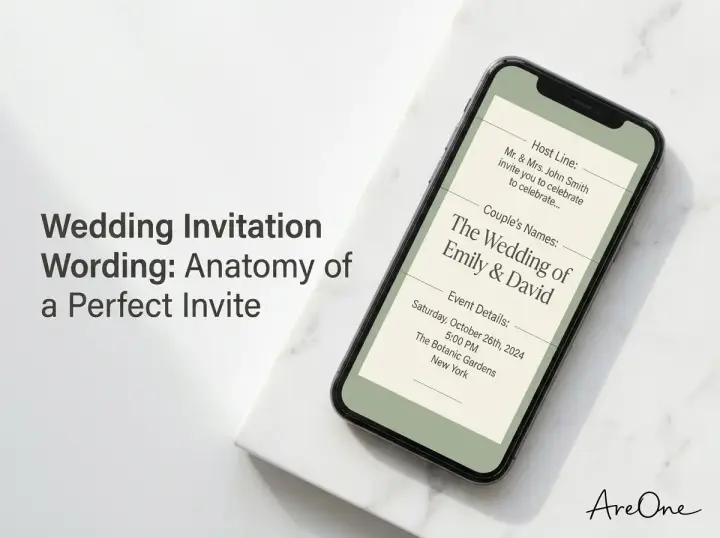
The 'host line' is traditionally the first thing people read. It indicates who is hosting the celebration. Whether you are hosting yourselves, or your parents are contributing, this line sets the initial tone.
Essential Elements Every Invite Needs
Your names should be front and center. Use a legible font for this section. Following the names, clearly state the date, the time, and the precise venue location. Because electronic formats do not have multiple physical insert cards, these details must be concise.
Copy-Paste Example 1 (Formal):
'Together with their families, [Name] and [Name] request the honor of your presence at their wedding celebration. Saturday, the fourteenth of October, two thousand twenty-six at four o'clock in the afternoon.'
Why this works: This traditional phrasing is familiar. It reassures older guests and clearly states that both families are involved in hosting the event.
Copy-Paste Example 2 (Casual):
'We're tying the knot! Join us for the wedding of [Name] and [Name] on October 14, 2026, at 4:00 PM.'
Why this works: It is direct, warm, and perfect for a laid-back celebration. The numbers are easy to read at a quick glance on a mobile phone.
Tip 2: Make the RSVP Process Foolproof
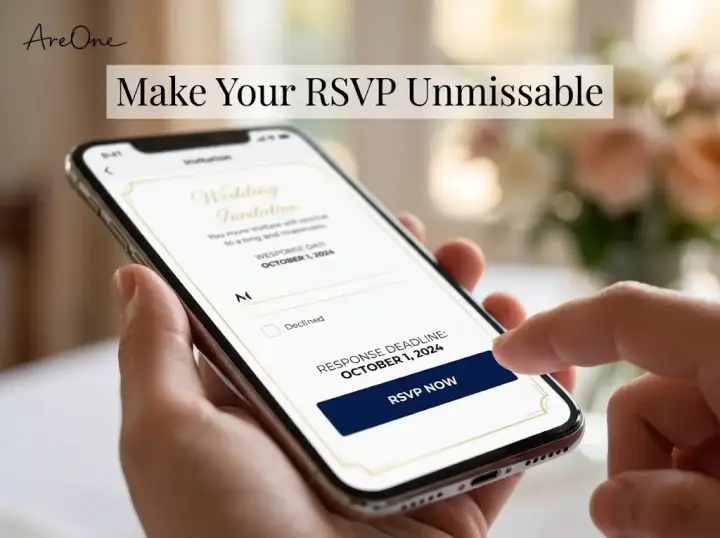
One of the greatest advantages of going paperless is the immediate response capability. However, guests need clear directions to understand they must click a button to reply. You cannot assume everyone knows how electronic forms work intuitively.
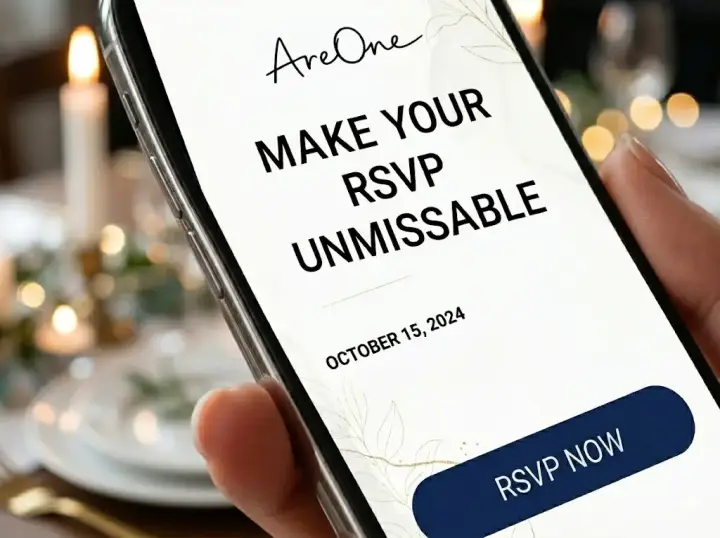
Your call to action must be unmissable. Place the response deadline in bold text just above the interactive button. This creates a sense of urgency and clarity.
If you are using our advanced digital RSVP tracking, your guests will be guided through dietary requests and plus-one details automatically. Simply tell them where to click.
Copy-Paste Example (Direct):
'Please kindly reply by September 1st using the RSVP button below.'
Tip 3: Handle the Dress Code with Grace
Guest anxiety often spikes around the topic of attire. When people do not know what to wear, they feel stressed. Providing a clear dress code eliminates this confusion and ensures everyone feels comfortable.
Place the dress code near the bottom of your main text or directly above the response button. Be specific, but remain polite. If your theme is unusual, briefly explain what it means.
Copy-Paste Wording Examples for Dress Codes
For Black-Tie:
'Black-Tie Attire Requested. We invite you to dress formally for an evening of elegance.'
Why this works: It leaves no room for interpretation. Guests immediately understand that tuxedos and floor-length gowns are expected.
For Cocktail:
'Cocktail Attire. Suits and party dresses are welcome as we dance the night away.'
Why this works: This provides a helpful hint ('suits and party dresses') while keeping the mood festive and lighthearted.
For Garden Casual:
'Garden Casual. Please dress comfortably for an outdoor ceremony on the grass. Wedges or flats are recommended!'
Why this works: It proactively solves a common guest problem. Warning people about grassy terrain prevents ruined high heels and sore feet.
Recommended ReadingDress Code Wording: Black Tie, Cocktail & Casual Examples →Tip 4: Navigate Plus-Ones and Children Policies
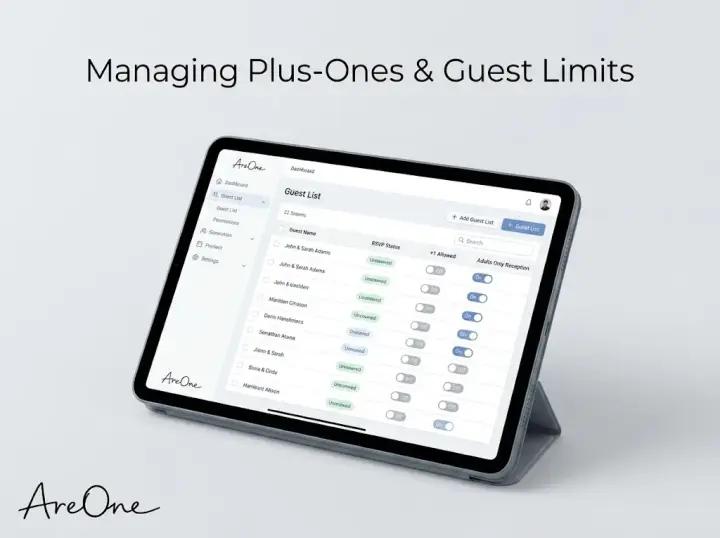
Addressing guest limits is famously delicate. Because you do not have traditional inner and outer envelopes to specify exactly who is invited, your electronic wording must do the heavy lifting. You must be diplomatic but unyielding.
If your celebration is restricted to adults only, state this gently on the main screen. Do not leave your guests guessing or hoping they can bring their toddlers.
Copy-Paste Example (Adults Only):
'While we love your little ones, our wedding will be an adults-only celebration. We hope this advance notice allows you to share our special day and enjoy an evening off!'
Common Mistakes: Unclear Guest Rules
Many couples face awkward conversations simply because their initial message lacked clarity. Let us review the most frequent errors.
Mistake 1: Vague Envelope Addressing.
In traditional mail, the envelope dictates the exact guest list. Online, you must ensure your response portal restricts unknown extra guests. Never use a generic 'link sharing' method without a password or a locked guest list.
Mistake 2: Using the Word 'Strictly'.
Phrasing like 'Strictly no children' can read as aggressive. Instead, frame it as a night off for parents, or use the elegant 'adults-only reception' phrasing. Tone matters immensely on a glowing screen.
Mistake 3: Ignoring Plus-One Etiquette.
If a guest is granted a date, say 'and Guest' directly in their personalized greeting. Do not make them text you to ask for permission. Proactive communication saves everyone time.
Mistake 4: Hiding the Timeline.
If the venue requires guests to arrive by a specific minute, state this prominently. Mobile readers skim, so crucial timing rules must stand out from the rest of the text.
Tip 5: Seamlessly Link to Your Wedding Website
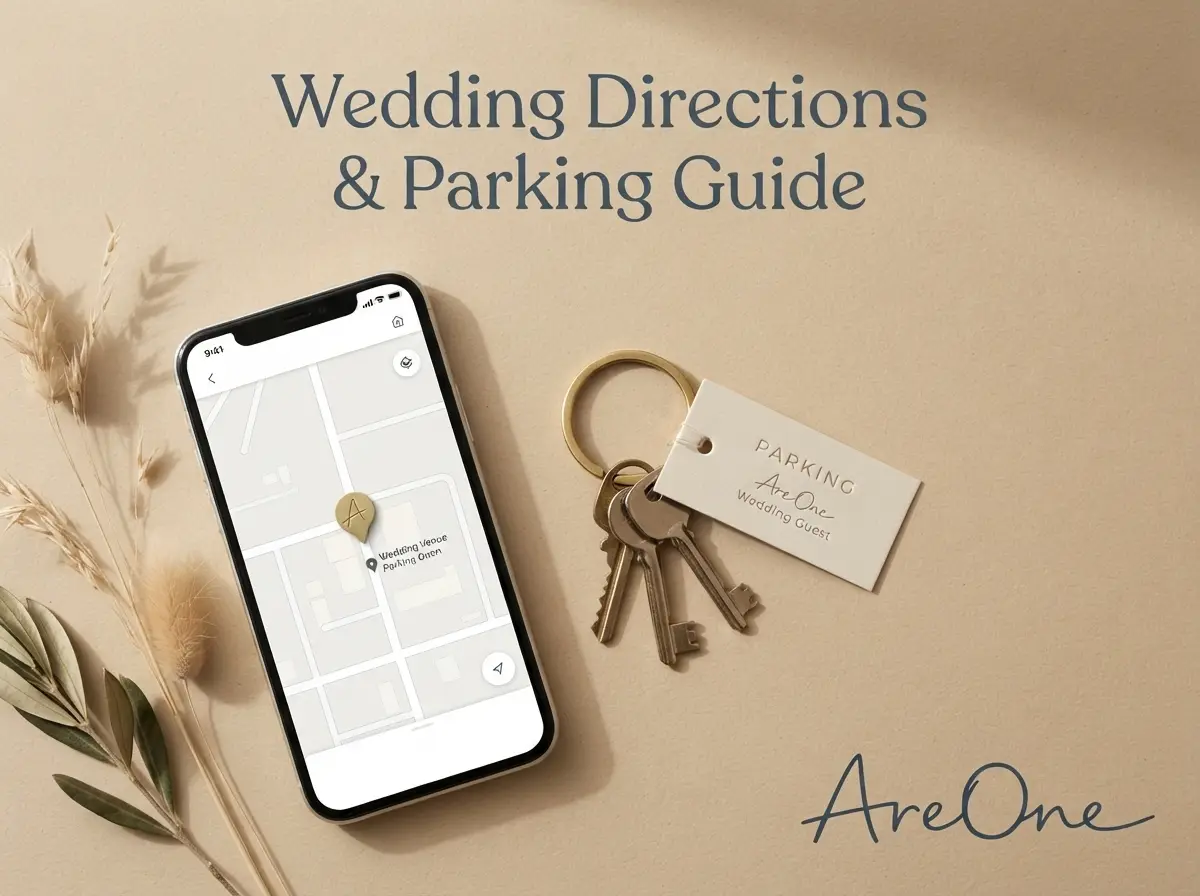
Your paperless card should act as a beautiful front door to your complete event hub. Rather than crowding the initial screen with hotel blocks, flight details, and parking maps, simply direct them to your custom hub.
Browse invitation layouts that fit your plan.
Compare layouts for schedules, travel details, guest guidance, and RSVP information before choosing one for your invitation.



This strategy keeps your main design looking clean and sophisticated. It is widely recommended by etiquette experts at Brides to keep the primary invitation uncluttered.
Copy-Paste Example:
'For travel accommodations, weekend schedules, and additional details, please visit our wedding website by clicking here.'
By browsing our collection of matching designer templates, you can ensure your initial email and your central website share a cohesive visual theme.
Tip 6: Share Gift Registry Details Tastefully
Historically, putting registry information directly on formal mail was considered a faux pas. However, the Emily Post Institute notes that modern electronic communication allows for slightly more flexibility.
The most polite approach is to place the registry link on your dedicated website rather than the main electronic card. If you must include it on the invite itself, do so subtly at the very bottom.
Wording Examples for Cash Funds and Registries
For a Traditional Registry:
'Your presence is the greatest gift of all. Should you wish to honor us with a present, we are registered at [Store Name].'
Why this works: It prioritizes the guest's attendance over their physical gift, which is the cornerstone of gracious hosting.
Need a faster RSVP flow?
Use AreOne to collect guest replies, meal choices, and reminders in one clean workflow.
For a Honeymoon Fund:
'We are lucky to have everything we need for our home. If you would like to contribute to our honeymoon adventure, you may do so here.'
Why this works: It politely explains why you are not asking for physical items, making guests feel comfortable contributing to an experience instead.
Tip 7: Optimize for Mobile Skimmers
The vast majority of your guests will open your announcement on their smartphones while commuting, waiting in line, or relaxing on the couch. Large blocks of dense text will be ignored. You must format your text for immediate readability.
Use brief sentences. Break up information into logical sections. Utilize bold text for the most critical data points, like the venue name and the response deadline. Always test how your design looks on both a large monitor and a small mobile screen before hitting send.
For a deeper dive into overall phrasing strategy, check out our comprehensive wedding invitation wording guide, which covers every possible hosting scenario.
Your Digital Invite Pre-Send Checklist
Before you finalize your electronic delivery, run through this quick quality assurance list to guarantee a flawless guest experience.
- Are both of your names spelled correctly and prominently displayed?
- Is the exact date, year, and starting time visible without scrolling?
- Have you included the specific timezone for destination events?
- Is the response deadline bolded and easy to spot?
- Does the interactive reply button work on a mobile device?
- Is the dress code mentioned respectfully and clearly?
- Have you linked correctly to your central event website?
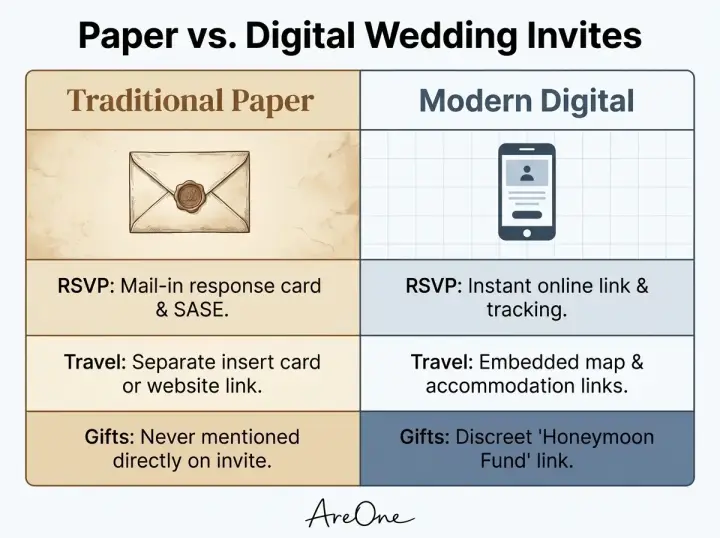
Quick Comparison: Paper vs. Digital Wording
To grasp how your approach should shift, let us compare traditional physical mail with modern electronic methods. This table illustrates how to adapt your phrasing.
| Element | Traditional Paper Etiquette | Modern Digital Approach |
|---|---|---|
| RSVP Instructions | Includes a separate stamped response card and envelope. | Features a bold, interactive button linking to an online form. |
| Travel Details | Printed on a separate physical details insert card. | Replaced by a single hyperlink leading to a wedding website. |
| Guest Names | Hand-calligraphed carefully on inner and outer envelopes. | Programmed via dynamic tags in the email greeting or portal. |
| Gift Information | Strictly relegated to word-of-mouth or bridal shower cards. | Linked subtly via the central event website portal. |
Understanding these differences ensures you never overcomplicate your digital canvas. Simplicity is the ultimate sophistication.
When evaluating different software options for your big day, we recommend reviewing our transparent pricing plans. We offer ad-free, premium experiences that prioritize your privacy and aesthetic vision.
Final Thoughts on Your Perfect Message
When deciding exactly what to write in digital wedding invitations, your primary focus should always be clear communication wrapped in warm hospitality. Your friends and family are thrilled to celebrate your milestone. A well-crafted message simply makes it easier for them to show up ready to party.
Take a deep breath, choose a template that matches your vibe, and use the copy-paste formulas we provided above. By keeping things accessible, mobile-friendly, and polite, you will set a joyous tone for the entire event.
Frequently Asked Questions
Find quick answers to common questions about this article.

No approved comments yet.